

BMW Emergency Call System Error?
The solution is simple: replace the battery!
Cause of the BMW Emergency Call System Error
The error message "BMW Emergency Call System Error" frequently appears on the display of certain BMW models, whether old or new. The error code B7F341 is then stored in the fault memory. In most cases, the cause is a faulty or deeply discharged SOS battery, also called the emergency call battery. The error code B7F341 in the fault memory also indicates a defective SOS battery as the cause. The battery is part of the telecommunications control unit, which automatically initiates an emergency call in the event of an accident. If the emergency battery is empty or damaged, this service can no longer function reliably — leading to the error code. Timely replacement of the TCB battery permanently resolves the error.
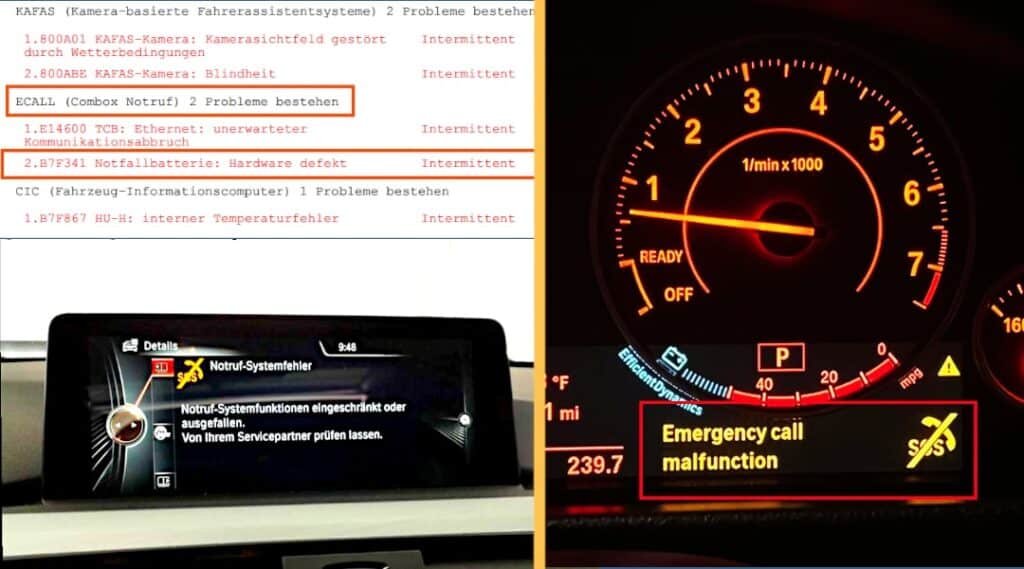
Where is the emergency call battery located?
The emergency call battery is installed in the Telematics Control Unit (TCU). This unit is located in the rear section of the vehicle, above the headliner – that is, in the trunk area near the tailgate. To access the battery, you only need to unclip a few plastic panels in the trunk and slightly lower the headliner. More details on this can be found in the section below.
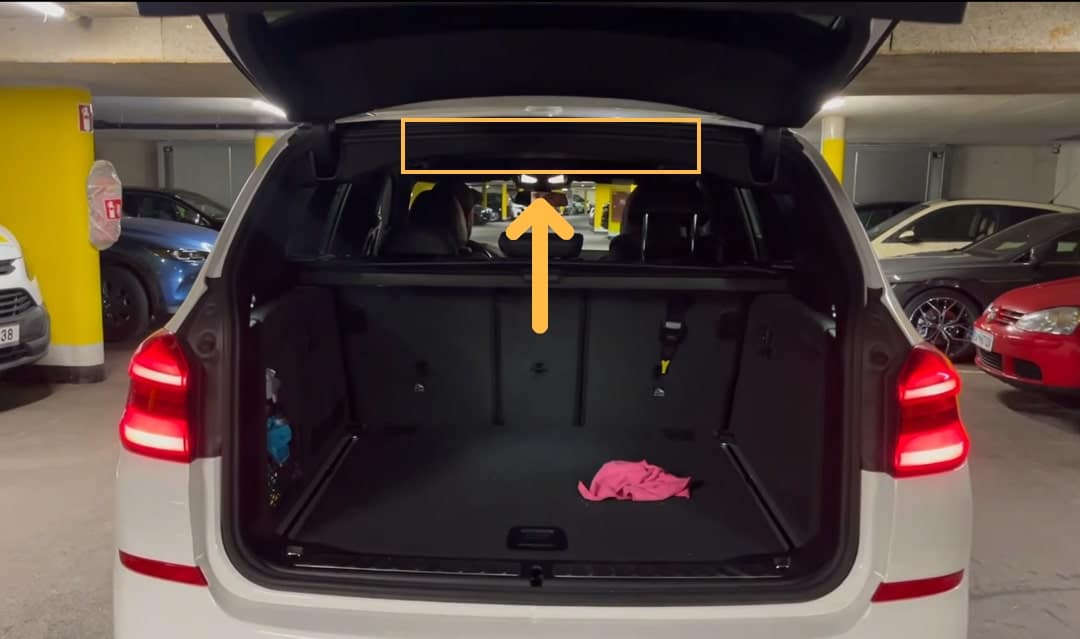
Where to buy a BMW emergency call battery?
The emergency battery itself is not a standard button cell, but a special rechargeable battery with soldering tabs or plug connection. The original BMW TCB battery is usually offered as a specific lithium-ion battery designed for the Telematics Control Unit. When purchasing, make sure to check the correct part number to ensure compatibility with your BMW model series. In our case, we used the part number from a G series for the BMW X3 G01. The part number for this vehicle, as well as for numerous other BMW models (especially those of the G series), is: 84 10 2 447 710.
You can check which battery is suitable for your vehicle type here: Parts Catalog
You can then purchase the battery here:
Original BMW TSM Battery *
Original BMW Telematics Control Unit (TCU) Module Battery – 84102447710 NEW with Two-Year Warranty
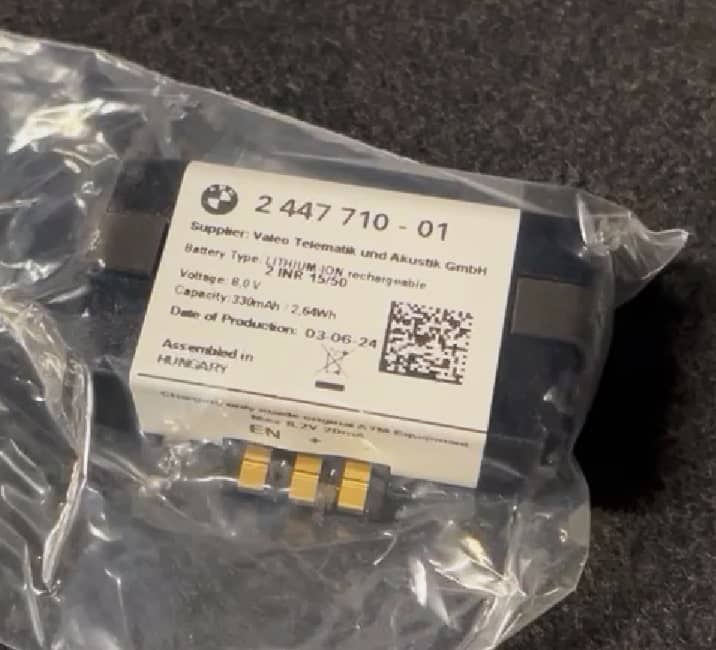
How to Replace the Emergency Call Battery
Replacing the BMW emergency call battery can be easily and quickly done at home. Here is a detailed step-by-step guide – illustrated using a BMW G01 (X3), identical for many models of the G series.
Step 1: Remove the roller cover in the trunk
Open the tailgate and press the “release button” on the right side of the roller cover. First pull the cover out of the holder on the right side, then on the left side.
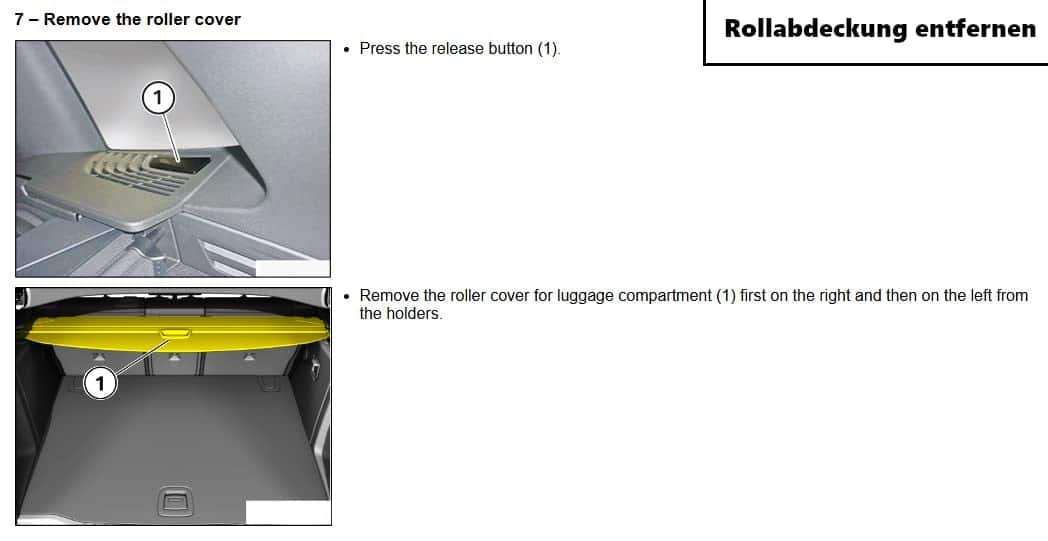
Step 2: Remove the D-pillar trim
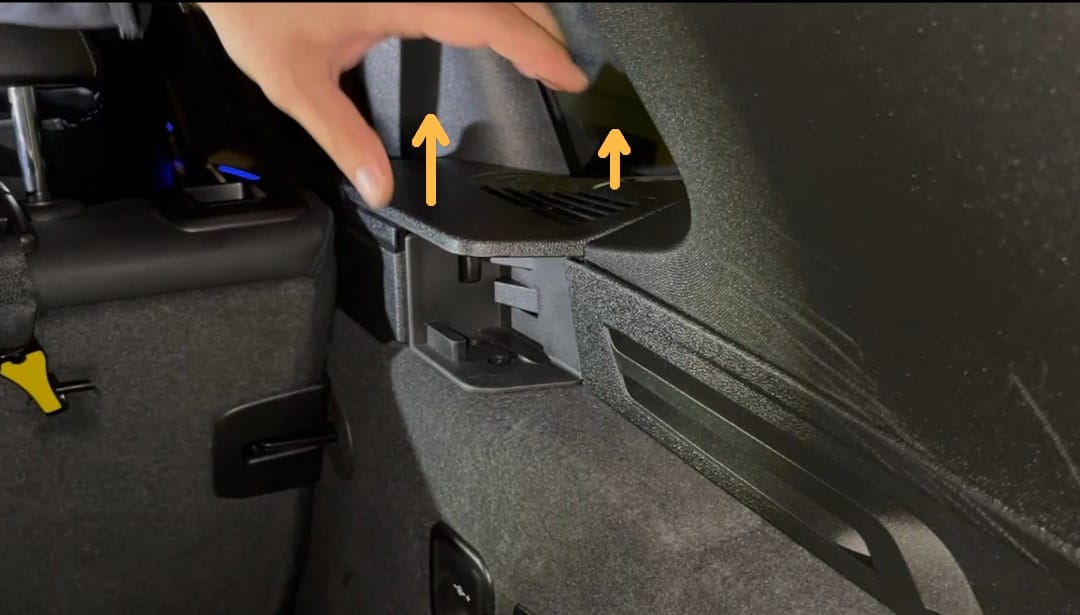
Next, remove the cover that surrounds the release button for the roller cover. You can simply clip it upwards and remove it.
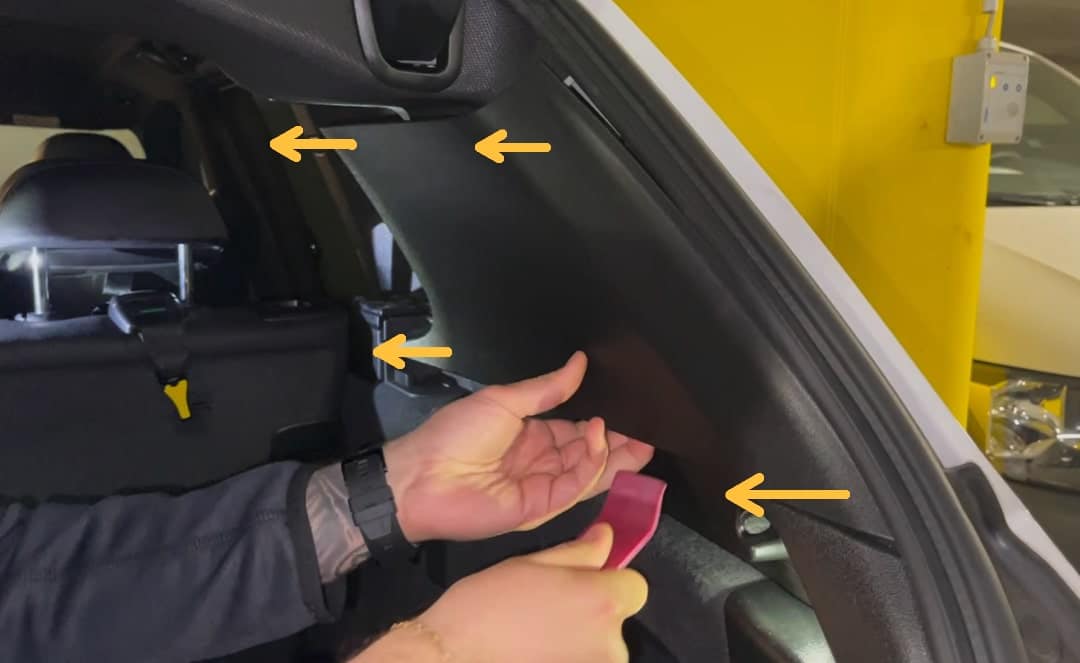
Then carefully pull the D-pillar trim outward. For this, it is best to use a trim removal tool* to gently pry the plastic trim out of the clips. The process is identical on both sides of the vehicle.
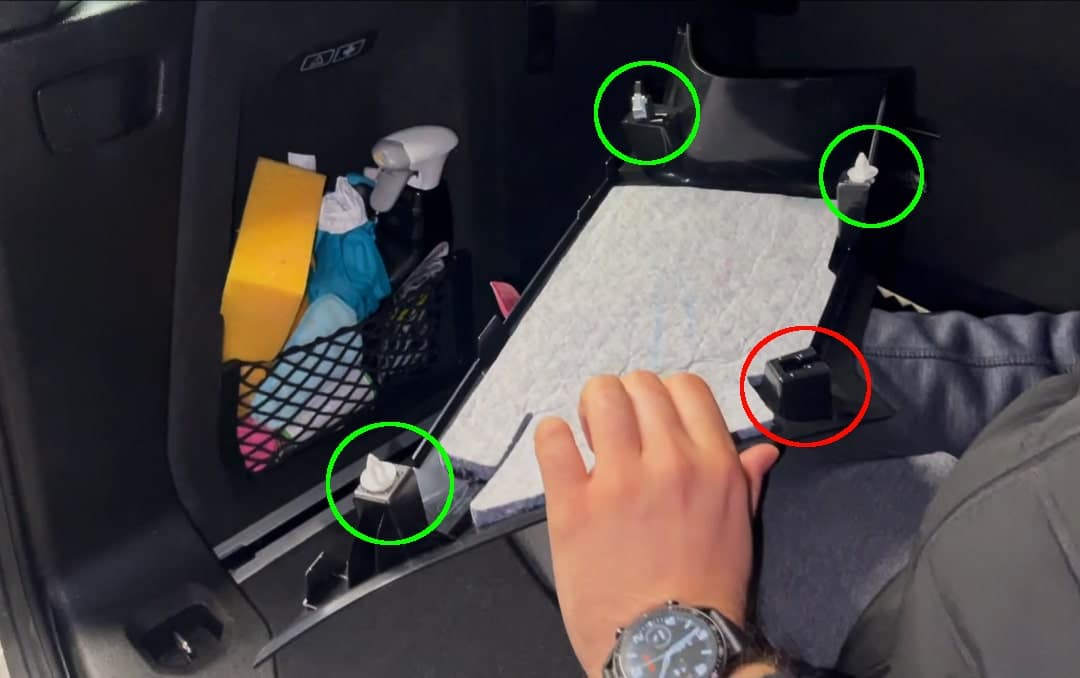
Step 3: Unclip the rear headliner
Release the clips of the headliner along the rear opening. Simply pull the headliner downward, which should be relatively easy. The advantage is that you don’t need to lower the entire headliner to access the telecommunications control unit (TCU).
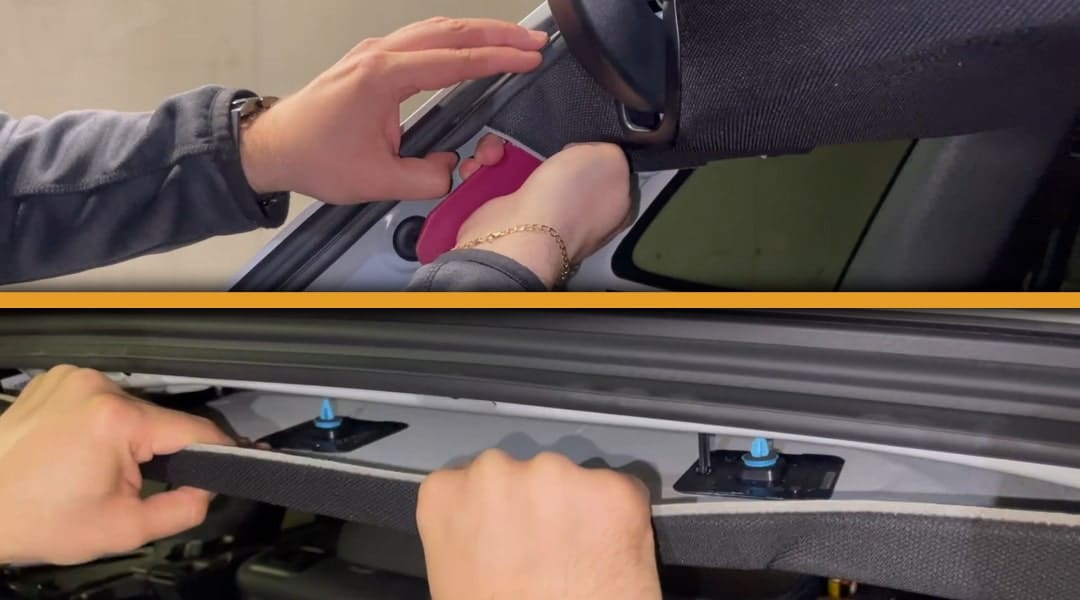
Step 4: Replace the SOS battery in the telematics control unit
Now the telecommunications control unit (TCU) is visible under the headliner. The battery is located in the front right compartment of the control unit. It’s best to open the battery compartment of the control unit with a thin flat-head screwdriver. You can then easily remove the battery unless it falls out by itself.
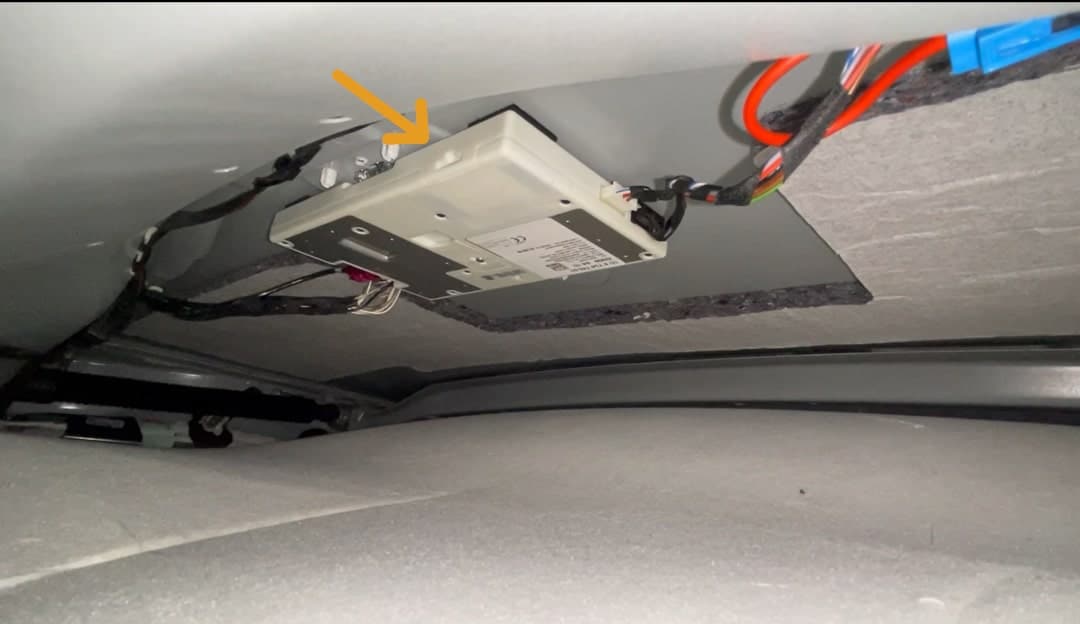
Insert the new battery into the battery compartment and close it. You have now successfully replaced the SOS battery in the telecommunications control unit. You can now reassemble the headliner and plastic trim in reverse order.
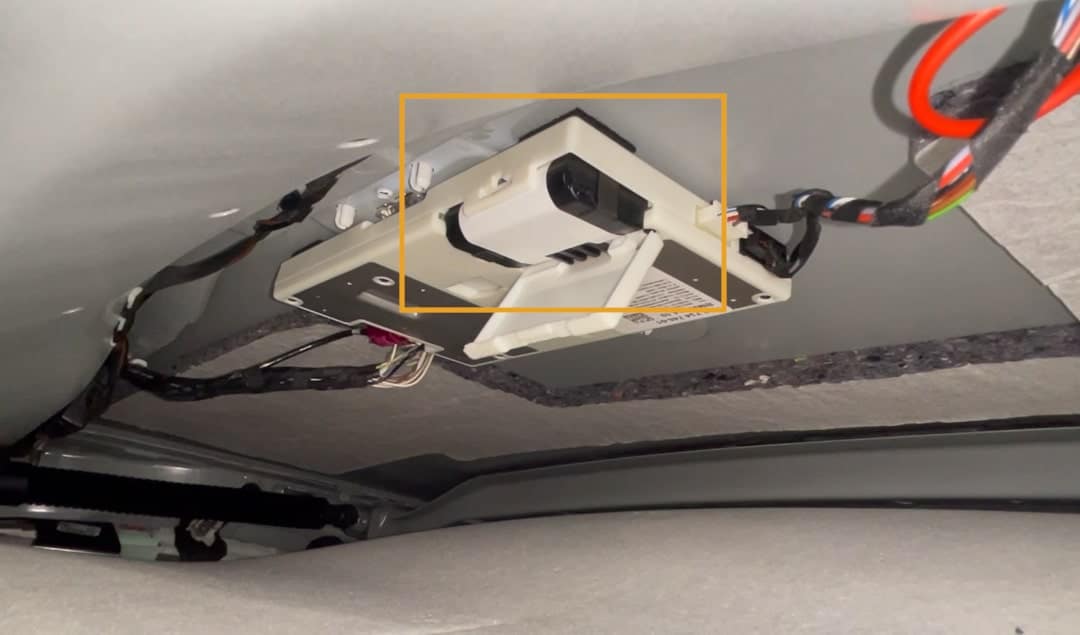
Step 5: Clear error codes
After replacing the battery, the SOS system will work again, but the error will still be stored in the control unit. Without this step, the warning usually remains in the iDrive, even though the emergency battery has already been replaced. You can clear the error message with almost any diagnostic tool on the market. This means you don’t need an expensive OBD2 diagnostic device — you can also clear the code with a simple OBD scanner.
We have tested various diagnostic tools and can warmly recommend this article about the MUCAR CS4 diagnostic tool. This OBD scanner is ideal for occasional use, affordable, and can do a little more than just read and clear error codes. However, if you work with cars more frequently and want to step up your game, we recommend this article on the LAUNCH diagnostic tool.
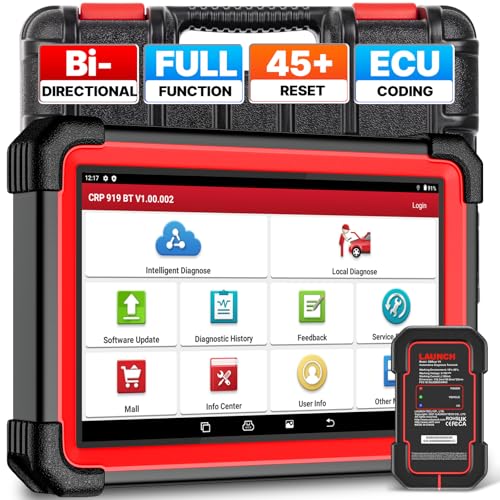
- 【Neueste Version des LAUNCH X431 CRP919E BT für 2026】LAUNCH CRP919E BT drahtlose obd2 diagnosegerät auto hat TOP HARDWARE KONFIGURATION aktualisiert und fügen NEUESTE FUNKTIONEN.Die LAUNCH…
- 【CAN FD+DOIP+FCA,Super Communication Protocol hinzufügen】LAUNCH X431 CRP919E BT ist mit dem DBSCAR VII Bluetooth-Verbinder, der CANFD und DOIP unterstützt. Der LAUNCH CRP919E BT obd…
- 【Advanced ECU Coding+Adaptation+Initialization】The LAUNCH X431 CRP919E BT kfz tester has excellent advanced hidden ECU code refresh functions, which can help you to improve...
- Powerful Bi-Directional Control / Active Test】 The LAUNCH CRP919E BT OBD2 diagnostic tool features bi-directional control — one of the most popular functions among mechanics. This allows users to perform advanced active tests and control vehicle systems directly for precise diagnostics.
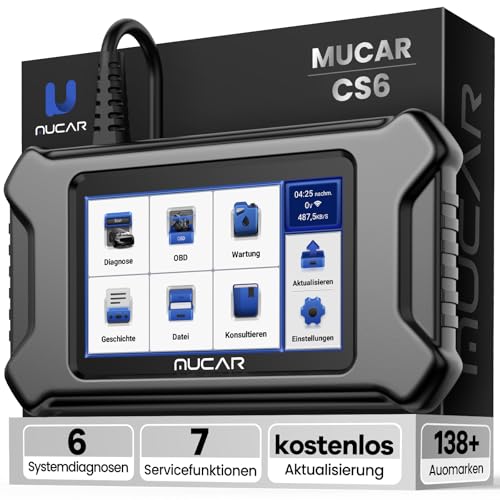
- 【WIFI UPDATES】 – After receiving our product, please connect to Wi‑Fi and either accept or proactively update the app’s operating system and firmware to ensure optimal performance and latest features. This guarantees enhanced stability, improved functionality, and the best driving experience.
- 【Unterstützung Von 6 Systemdiagnosen】- Das obd2 diagnosegerät bietet umfassendere Diagnosen zur Überprüfung von ABS(Antiblockiersystem), Airbag (SRS), Motorsystem (ECM), Getriebesystem(TCM…
- 【7 RESET FUNCTIONS】 – Activate oil light reset, EPB (Electronic Parking Brake) reset, SAS (Steering Angle Sensor) reset, TPMS reset, ABS bleeding, DPF (Diesel Particulate Filter) reset, ETS, and more. These functions ensure accurate system recalibration, improved vehicle performance, and enhanced safety.
- 【Volle OBDII-Funktionalität】- Der MUCAR CS6 OBD2 diagnosegerät bietet volle OBDII-Funktionalität und zeigt 4-in-1-Echtzeit-Datenströme an (z. B. PCM-Datenstrom, Motordrehzahl…
Conclusion – Resolving BMW Emergency Call System Error
The BMW Emergency Call System Error often occurs due to a discharged or defective battery in the telematics control unit (TCU), which is responsible for the emergency call system. This issue is especially common in models such as the BMW G01 (X3) after several years, but other BMW series and models are also not immune to this error message.
The control unit is installed at the rear of the headliner, and replacing the SOS battery can be done quickly and easily at home. Additionally, replacing this battery at a service workshop can cost over €200.
Here we have linked everything you need to replace the emergency battery yourself.
Original BMW TSM Battery *
Original BMW Telematics Control Unit (TCU) Module Battery – 84102447710 NEW with Two-Year Warranty
Affiliate links are marked with a *. When you purchase one of these products, we receive a small commission. Nothing changes for you and the offer/price remains the same. You can find more information about affiliate links in our privacy policy.
More Articles
Retrofit Speed Limit Info: Code Your BMW G Series Yourself!
Speed Limit Info nachrüstenBMW G-Serie selbst codieren Die Kamera sitzt oben in der Frontscheibe, das Navi kennt jede Straße –…

Do new cars have to be broken in? – What still applies today!
Breaking in a new carWhat still applies today – and what does not The new car is in the driveway, the odometer shows a…

Unlock Original BMW CarPlay – DIY, Cheap & Easy
Retrofitting BMW Apple CarPlay Yourself, Cheap & Easy You want to use Apple CarPlay in your BMW but do not feel like…
