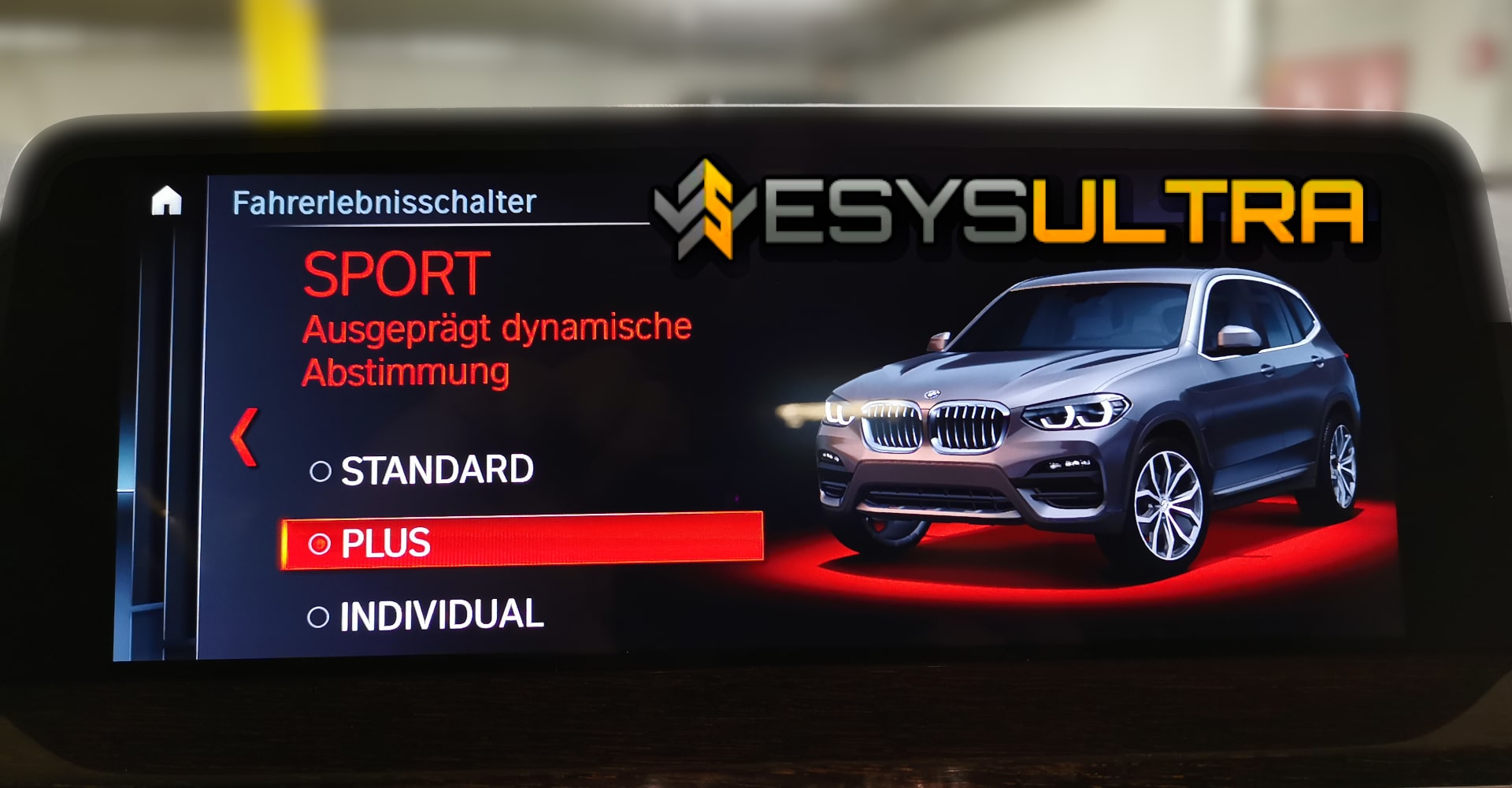
BMW Sport & Comfort Plus coding
Unlocking drive mode - instructions
Why unlock Sport Plus & Comfort Plus on the BMW?
Many BMW G models are only available ex works with the driving modes Sport, Comfort and Eco equipped. What is missing are the extended modes such as Sport Plus and Comfort Plus, which offer significantly finer tuning of the driving behavior.
Sport Plus (difference to Sport):
Comfort Plus (difference to Comfort):
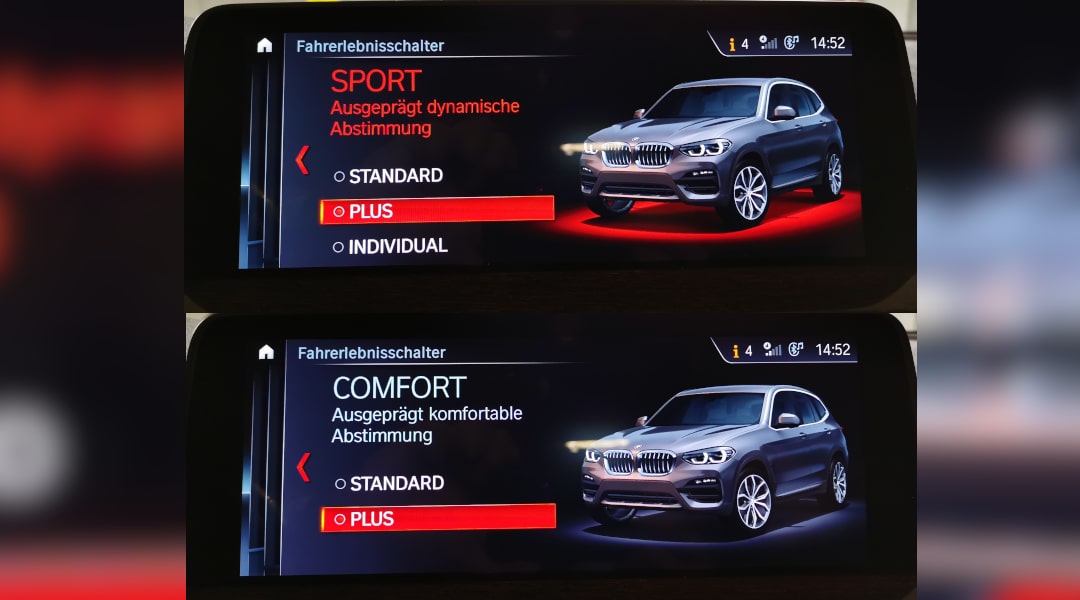
With a simple coding these modes can be unlocked for your BMW - without major hardware modifications or costs. In the following, we will show you how to Step by step correctly and what you need for this.
Required software & hardware
Before you start, you should be equipped as follows:

- obd2 adapter to rj45 obd2 to enet F coding bmw enet bootmod3 cable programming interface ethernet to obd2 bmw DTC adapter obd2 to enet cable (enet) connector OBD OBDII ISSS ISID ISTA
- Compatible with bmw f series enet cable: enet bmw cable obd 1-series (F20), 3-series (F30), 5-series (F07, F10, F11, F18), 6-series (F12, F13), 7-series (F01, F02, F04), X-series (F25)
- Obd-enet cable users of obd2 to enet international top obd to ethernet obd2 cable super-six production obd2 enet cable lines, shielding interference, signal transmission intensity,...
- rj45 obd cable programming individual modules or Odb2 to Enet cable bmw f series modules hiding ENET data line for Rj45 Enet cable series


- From the developer of the world's first intelligent battery charger: Proven cutting-edge technology used by over 40 of the world's most renowned vehicle manufacturers
- Reconditioning mode: The RECOND mode reconditions batteries that are in poor condition or deeply discharged
- AGM mode: special charging program for AGM batteries for shorter charging times and maximized battery life
- Patented desulphation function: Unused batteries lose performance and service life due to sulphation. Pulse current and pulse voltage, safely removes sulphate build-up from the...
Sport Plus & Comfort Plus coding with ESys Ultra
We prefer to use the following coding software ESys Ultra, because with it we be able to work without restrictions. Now we come to the exciting part - the actual coding.
Step 1: Establish connection
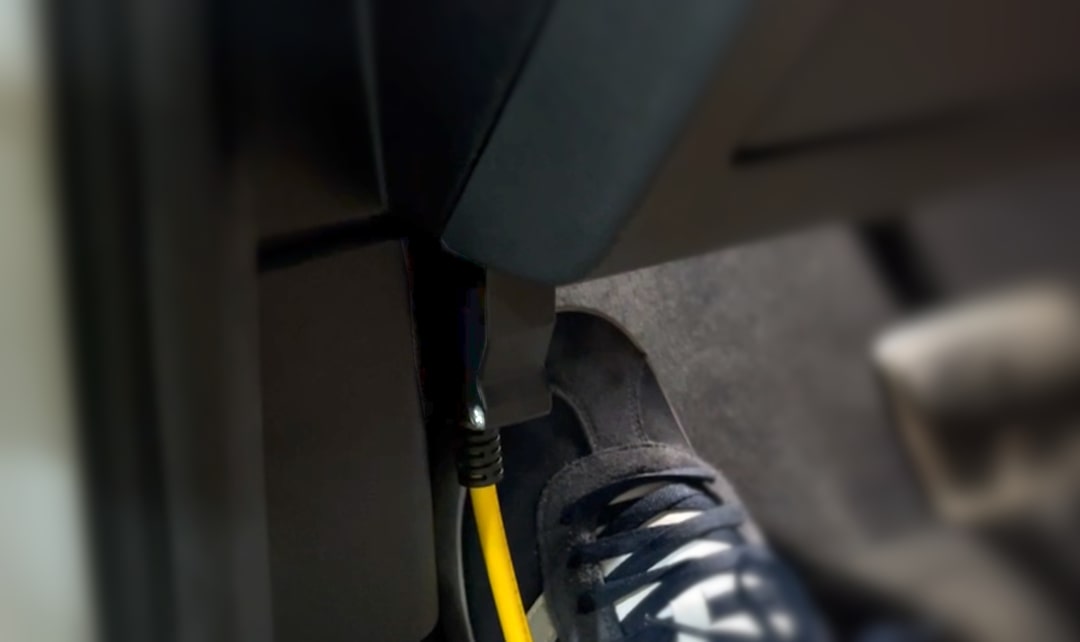
Make sure that the Ignition switched on and the Motor switched off is. Connect the ENET cable with the OBD socket in the driver's compartment and insert the Ethernet plug into your laptop.
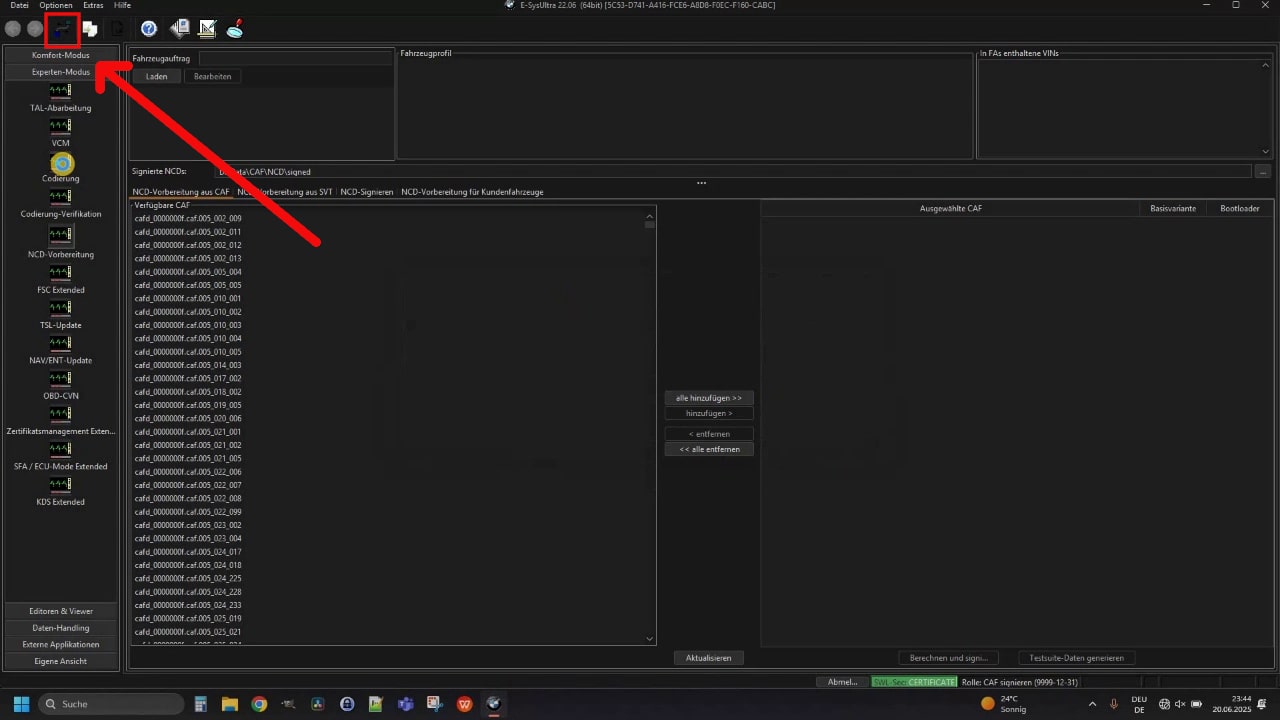
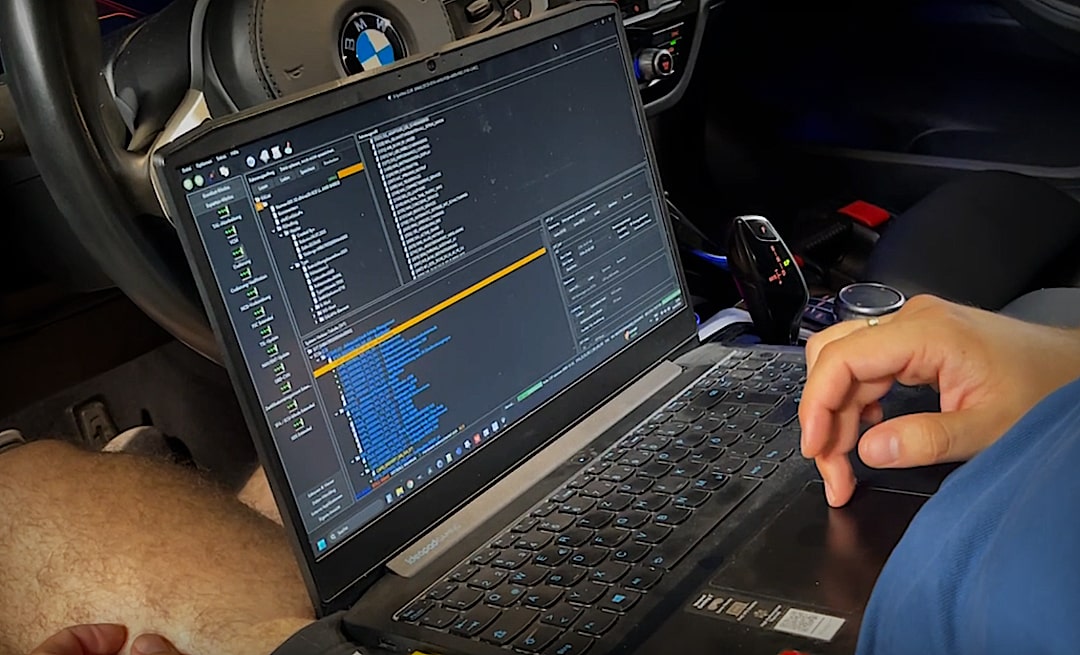
Open ESys Ultra via the „UltraAdmin“ area (preferably the latest version select) and click on the „Connect“ icon.
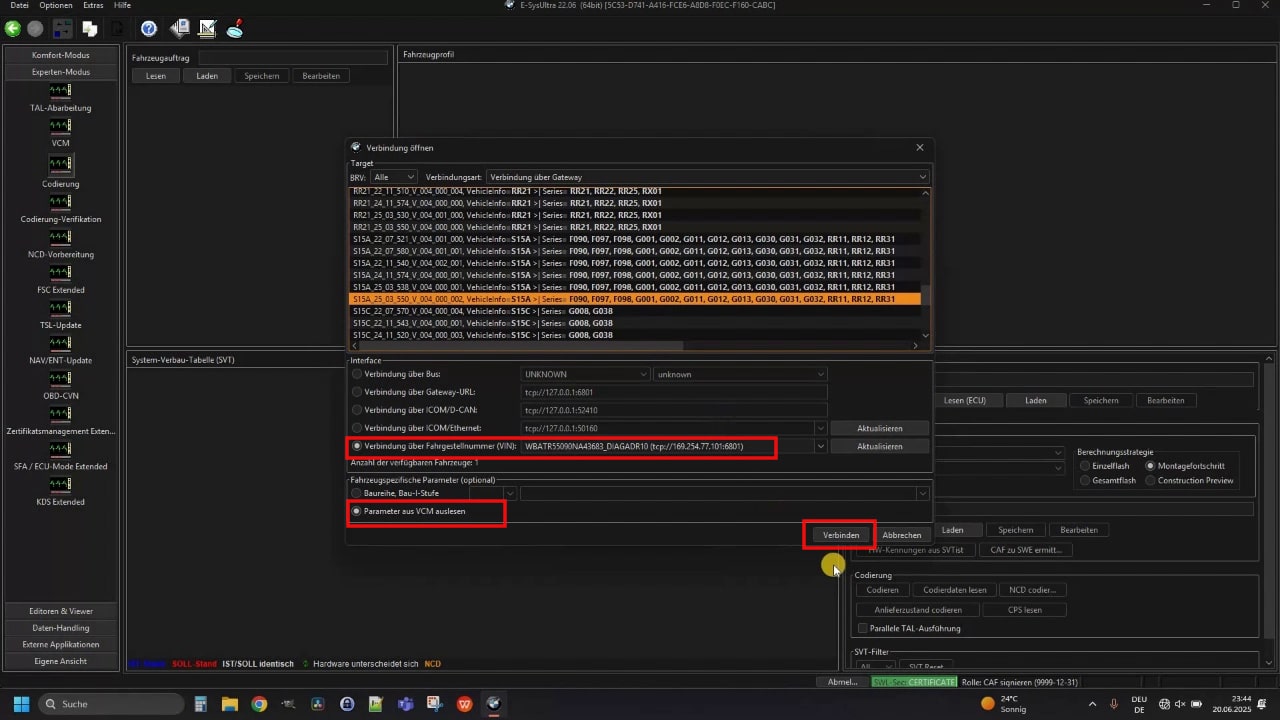
Choose your Chassis (e.g. „S15A“ for the BMW G01) and set the checkmark in the checkbox below “Connection via VIN” and with “Read parameters from VCM”. Then click on „Connect“.
Step 2: Read out FA & select control unit
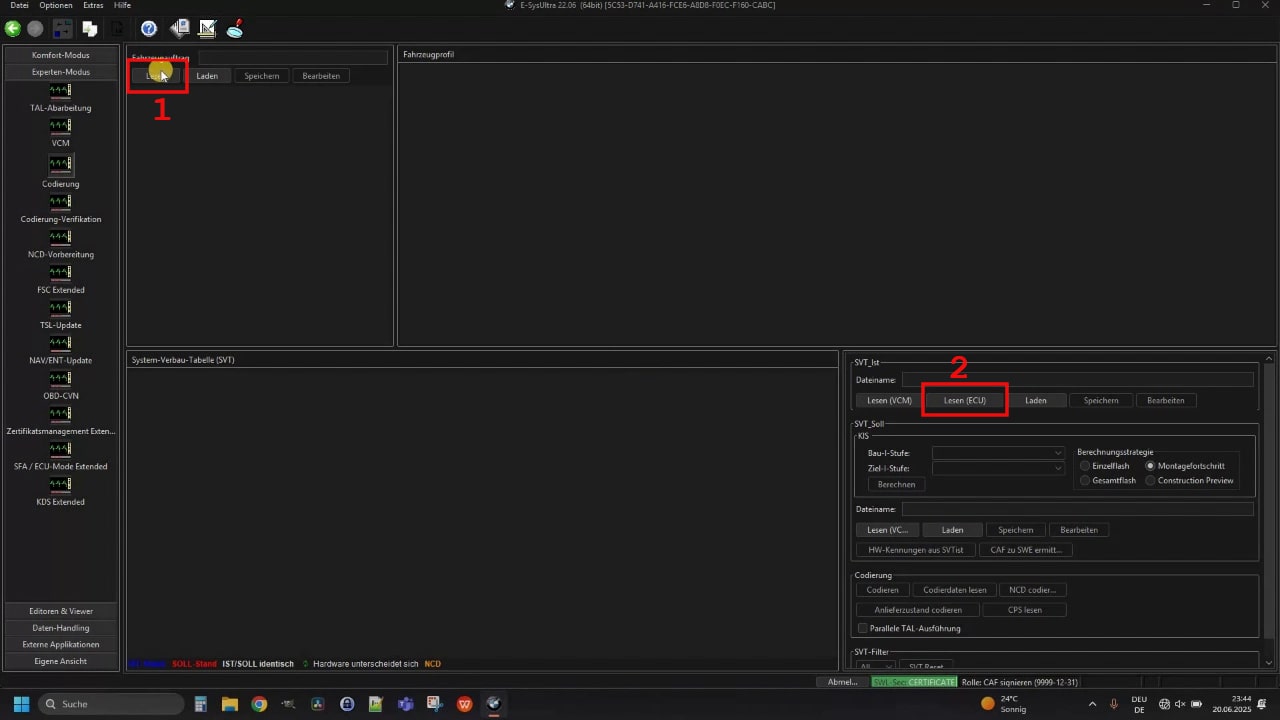
Click above under „Vehicle order“ on „Read“ and then at SVT_actual on the button „Reading (ECU)“.
To Sport Plus all the way to Comfort Plus you have to activate a total of Two control units edit. Start with the control unit BDC_BODY2 (the designation may vary slightly depending on the car model).
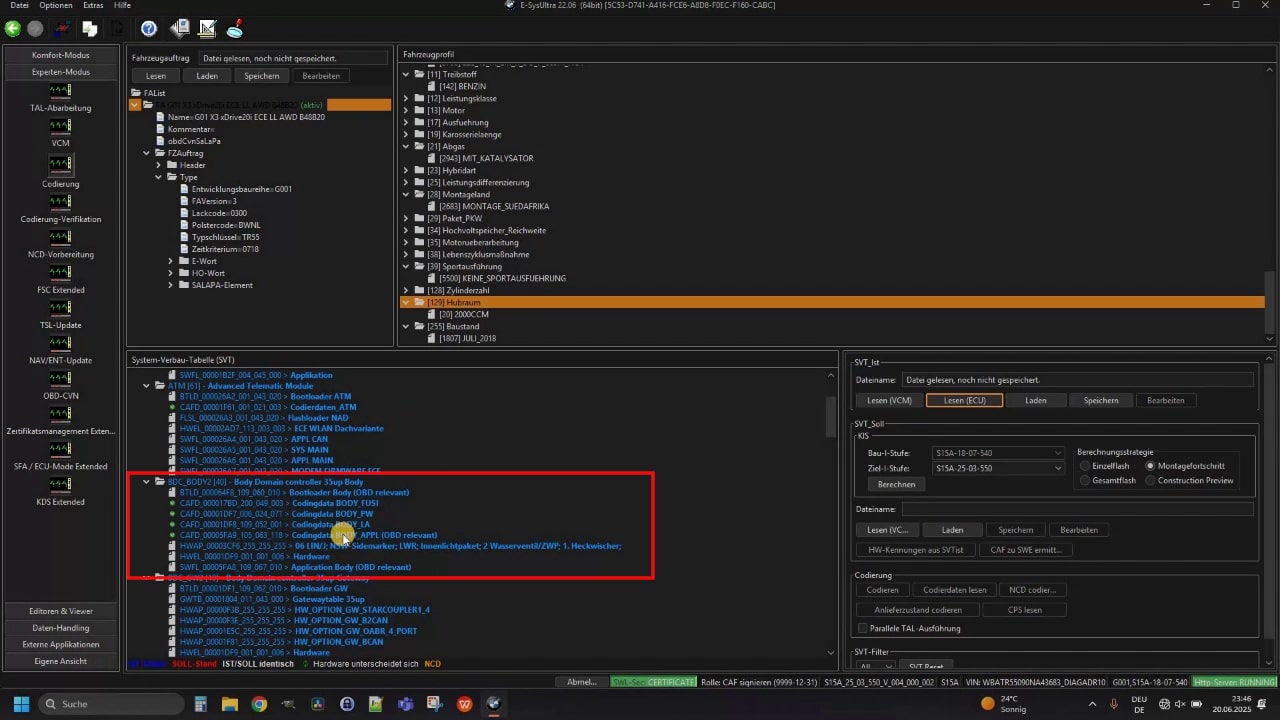
To do this, make a Right click to the Codingdata CAFD (OBD relevant) and select „Read coding data“.
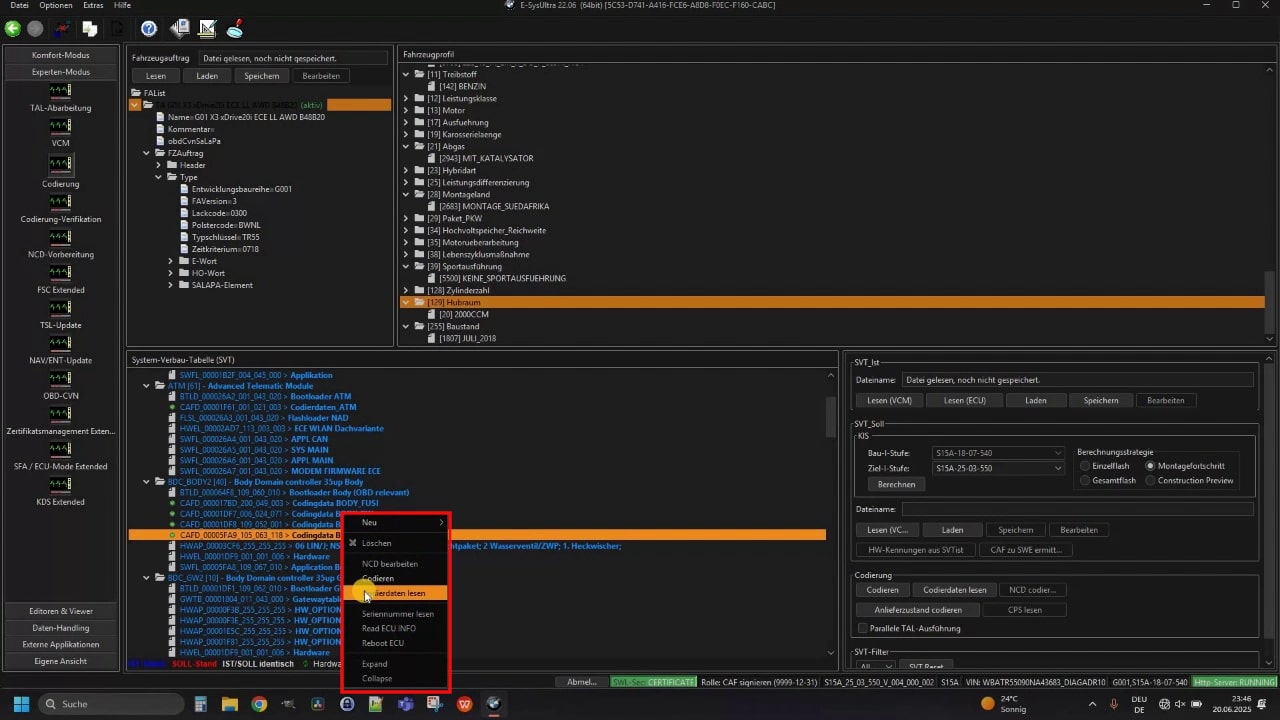
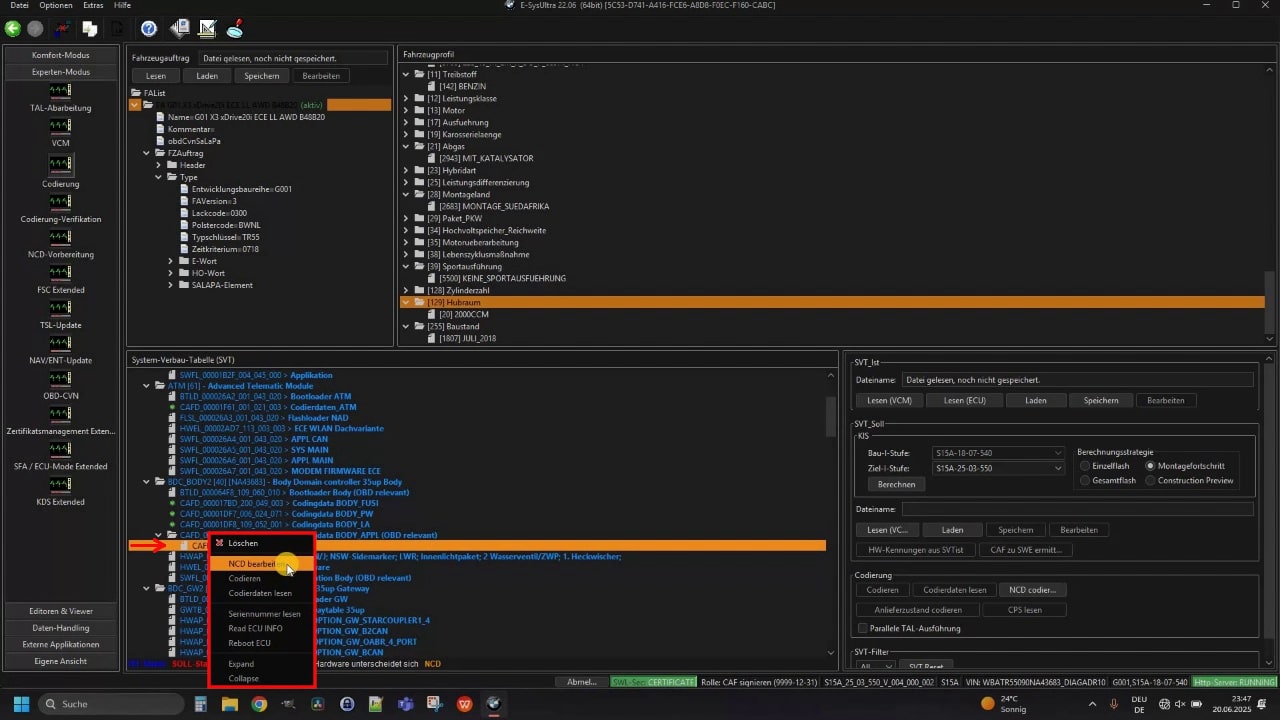
Then do another Right click to the newly published CAFD file in the folder and click on „Edit NCD“.
Step 3: Change parameters & code NCD
In the long parameter list, first search for „3221 PfFesMaster“.
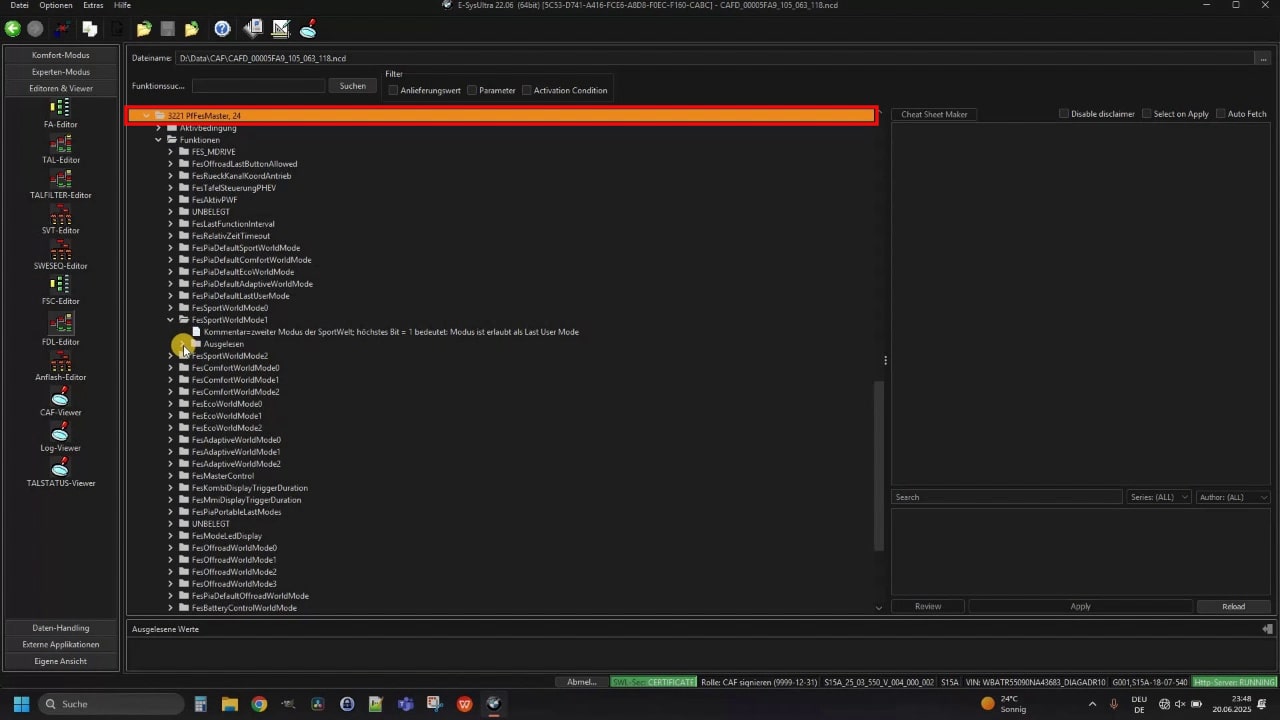
Then open the corresponding subfolder and change the parameter „FESSportWorldMode1“ from „NotSportExpert“ on „SportExpert“.
The same applies to Comfort Plus: Here you set the parameter „FESComfortWorldMode1“ from „NotComfortPlus“ to „ComfortPlus“ um.
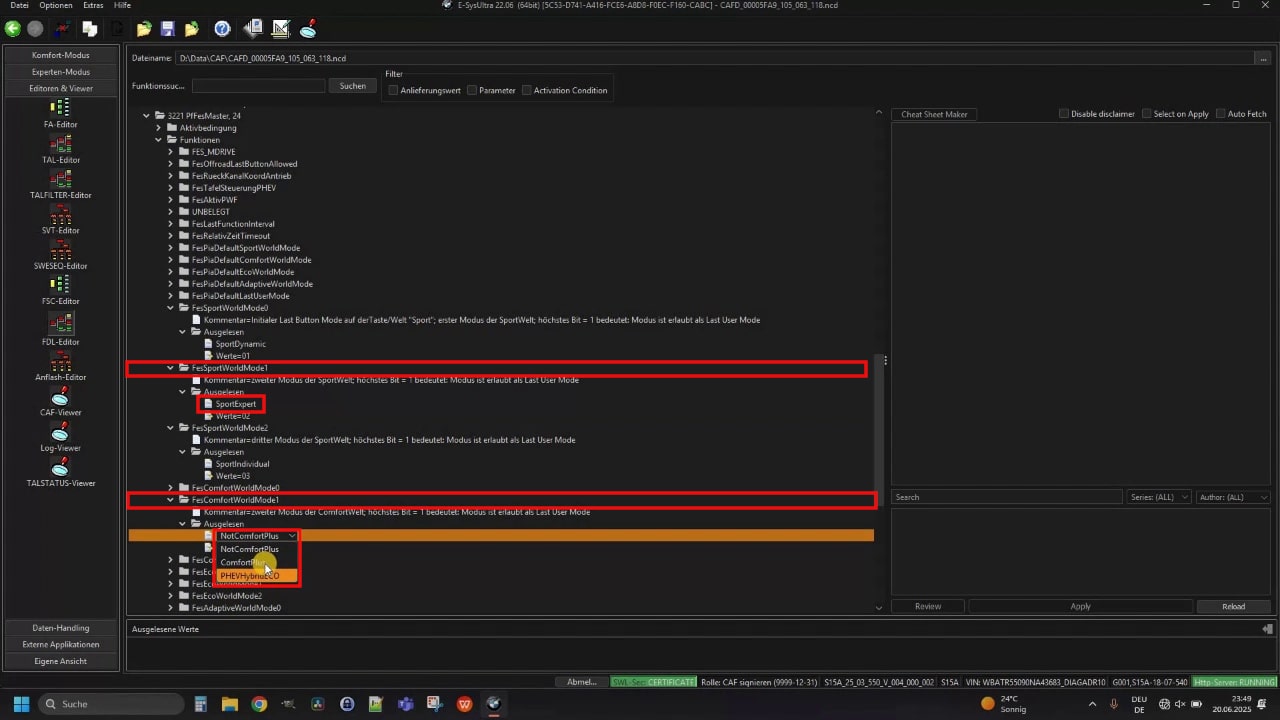
Then click on the top left on „Save“ and then to „Back“, to return to the overview.
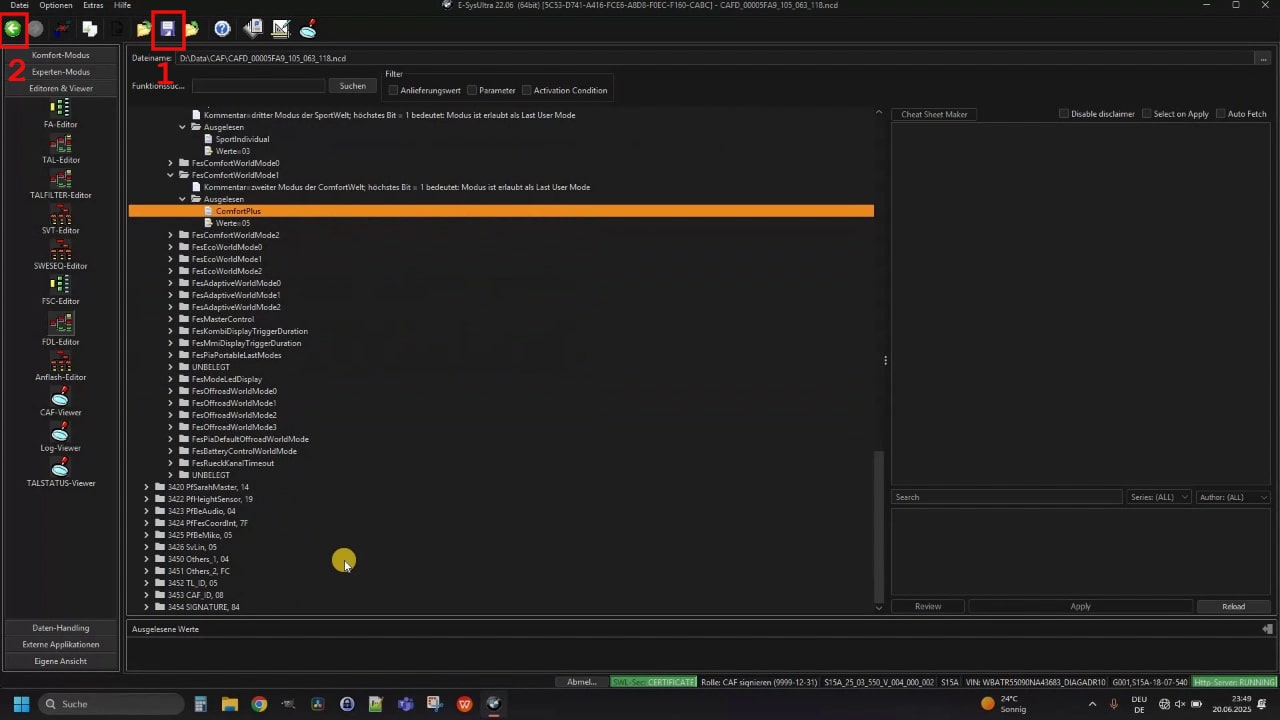
Finally, just click once more on the Modified CAFD file and select right „NCD coding“ .
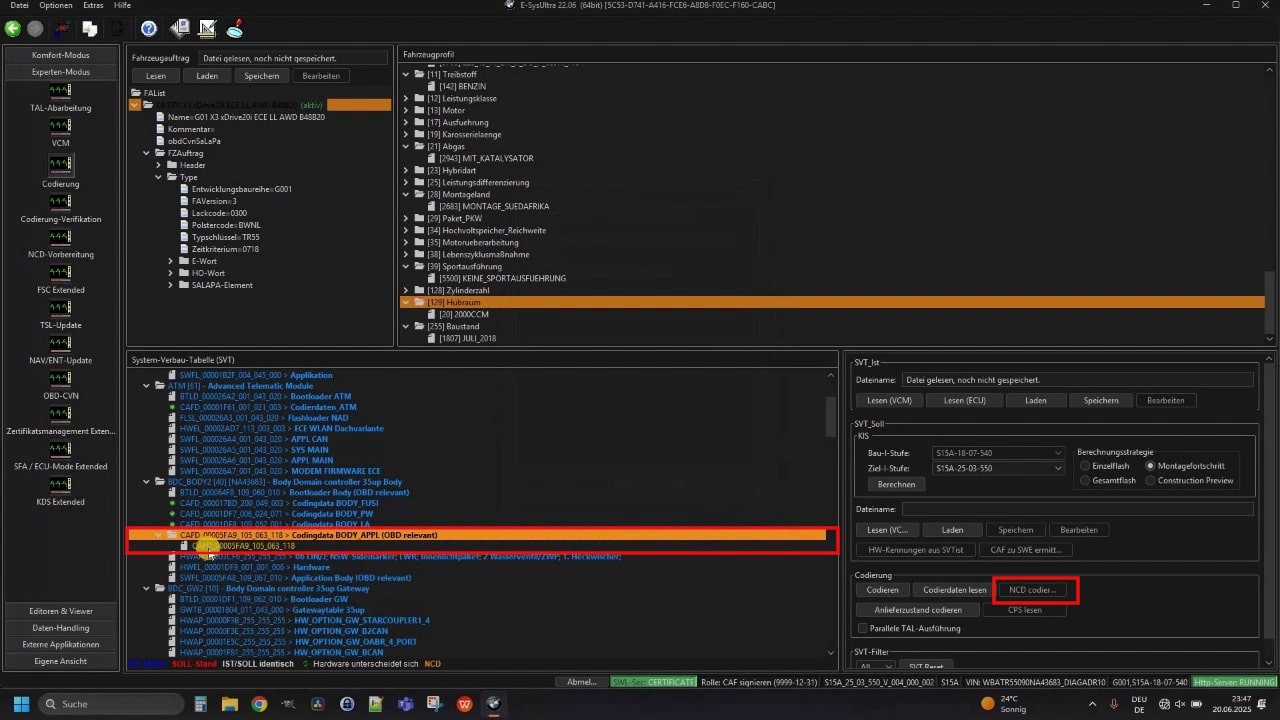
Step 4: Coding the second control unit - Head Unit
The second control unit that needs to be coded is HU_NBT2 (the exact designation may vary slightly depending on the car model). This is the control unit of the Head Unit i.e. your multimedia unit.
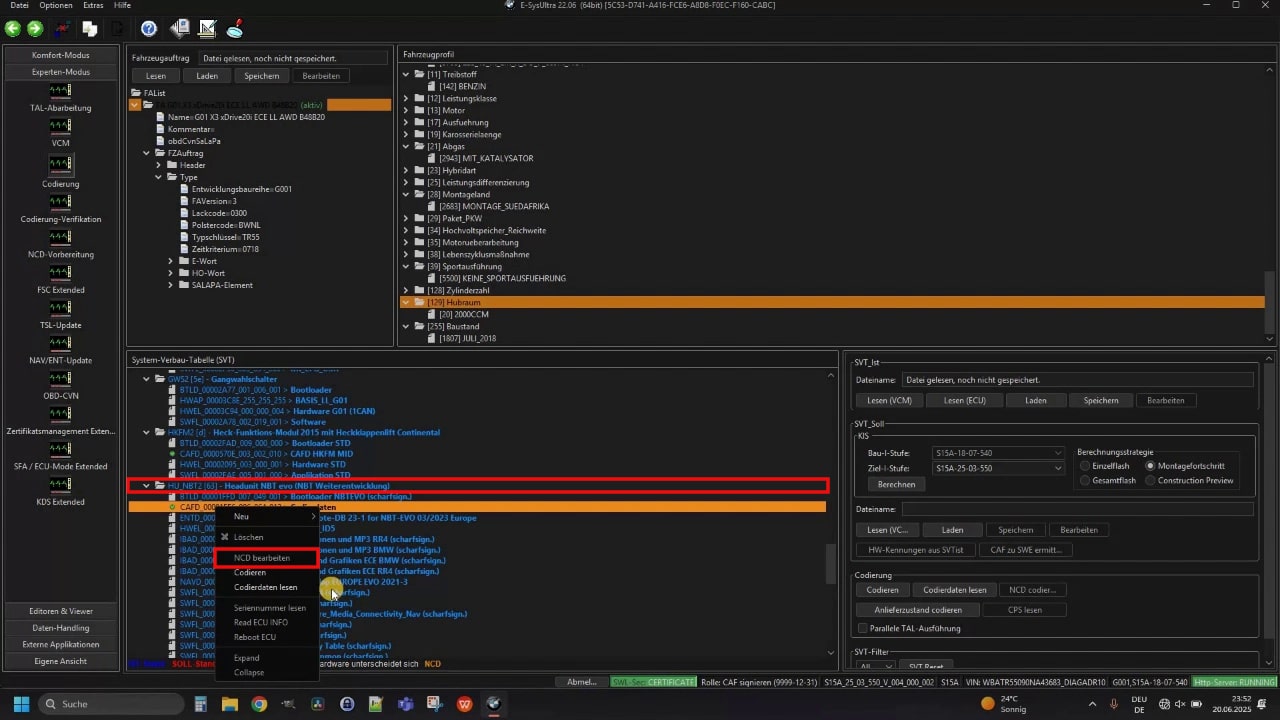
The procedure is the same as before in step 2, to access the parameter list for this control unit. Under „3008 FES“ search for the parameters „FES_SPORT_EXPERT“ all the way to „FES_COMFORT_PLUS“ and set both from „not active“ to „active“ um.
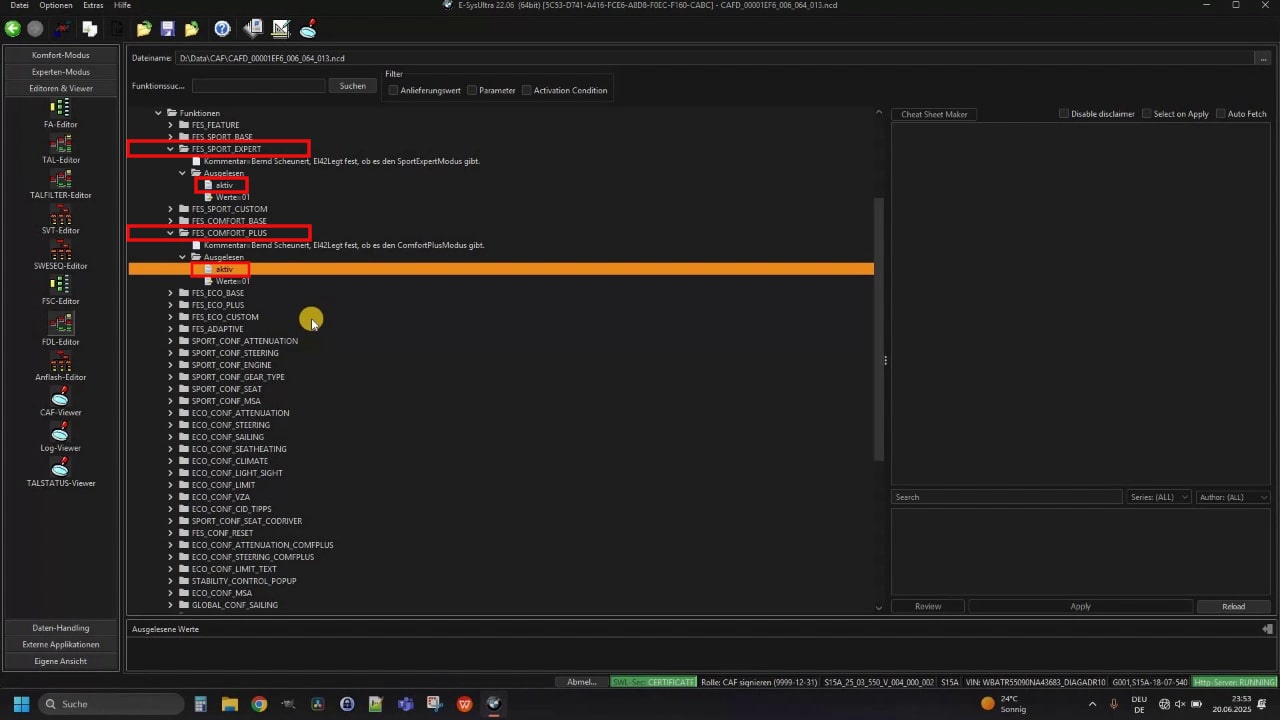
At the end save your changes, go back to the overview and code the processed CAFD as before via „NCD coding“ into the vehicle.
Step 5: Restart iDrive
You must restart the iDrive for the coding to take effect. To do this, hold the Volume/off button pressed for about 30 seconds.
After about The iDrive restarts after 20 seconds. You should then have the Sport Plus and Comfort Plus options available in the driving modes.
Conclusion – Resolving BMW Emergency Call System Error
With just a few simple steps, you can give your BMW G-Model the coveted „Sport Plus“ and „Comfort Plus“ Retrofit driving modes. Thanks to ESys Ultra the implementation is uncomplicated and inexpensive - even if the software should actually cost considerably more in view of its range of functions.
For beginners, we recommend alternatively taking a look at BimmerCode, but you only get full control and all the options with ESys Ultra.
With this coding, you simply get even more out of your BMW. What's more, this coding is not rocket science and can be done by yourself with the right tools and the right instructions - at your own risk, of course!
Affiliate links are marked with a *. When you purchase one of these products, we receive a small commission. Nothing changes for you and the offer/price remains the same. You can find more information about affiliate links here.
More Articles
BMW Android Auto & Carplay retrofit | Plug & Play | CARLUEX
BMW Android Auto & Carplay retrofitCARLUEX Experience Are you driving a BMW built before 2020 and want to finally use Android Auto?...
BMW coding software comparison 2025 | ESys, BimmerCode & Co
BMW Coding Software ComparisonESys, BimmerCode & Co. There are now countless tools for coding a BMW. Different software providers offer...
BMW Emergency Call System Error Battery Replacement | G-Series GUIDE
BMW emergency call system error? solution: change the battery! The well-known BMW emergency call system error (B7F341) occurs in many BMW vehicles, whether E-series,...