BMW Android Auto & Carplay Retrofit
CARLUEX Experience
Why CARLUEX for Your BMW?
Simply because it is the simplest solution to integrate Android into your BMW. Besides the fact that CARLUEX supports CarPlay & Android Radio, you also get a fully functional Android system in your car. There are no restrictions like with other aftermarket radios, and it is fully functional.
The question can also be answered differently: What is the alternative? If you drive a BMW built before 2020 and truly only want to use Android Auto or Carplay, you haven't had any lucrative options so far. See the chapter Comparison: CARLUEX vs. Alternative Solutions for more details.

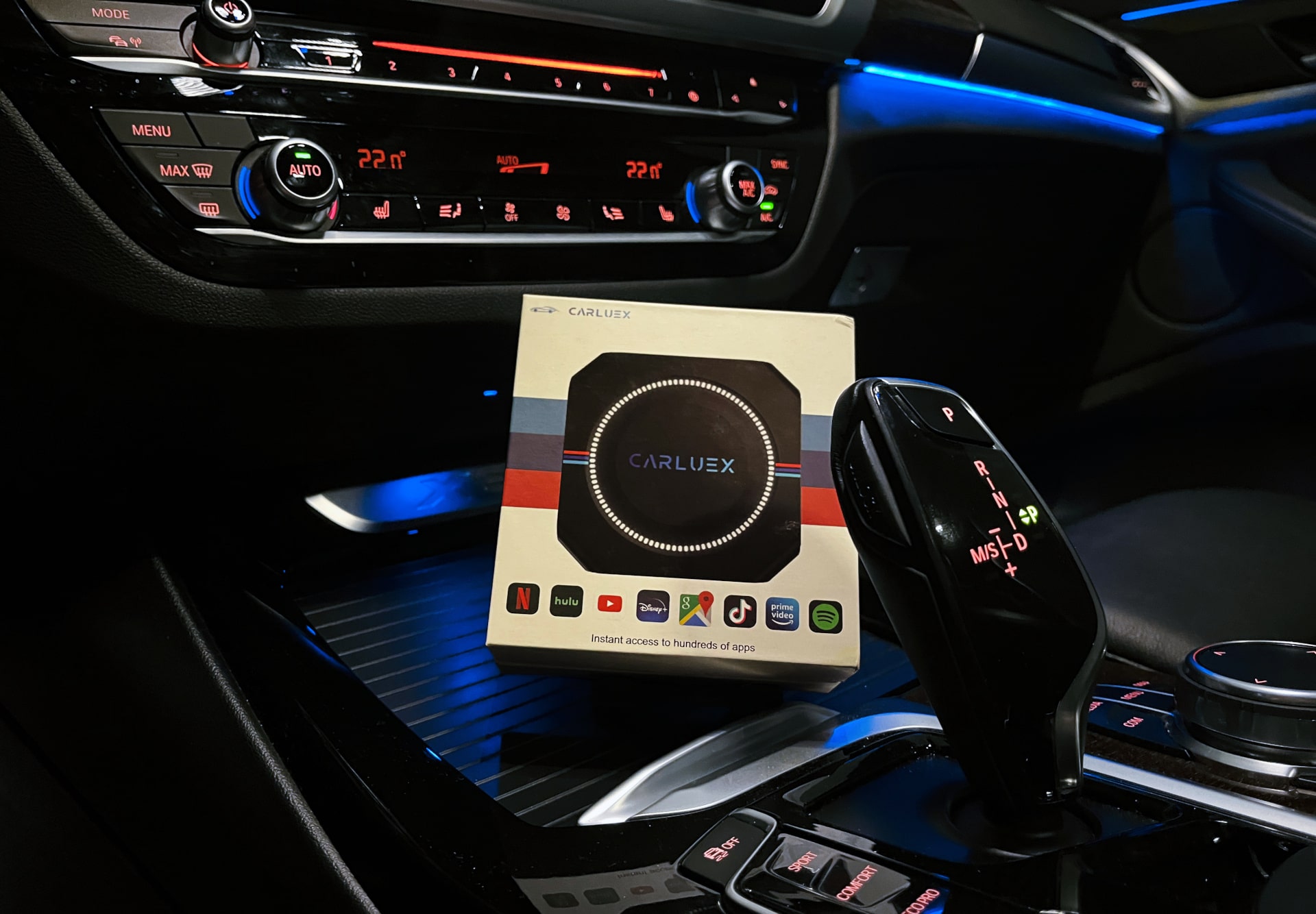
The CARLUEX Box costs a fraction of other options and can be installed without a workshop or a coder. The box integrates seamlessly into your existing system and causes no visual or hardware technical changes. This means: No loss of OEM functions, only additional possibilities. The box is simply stowed near a USB socket (i.e., in the armrest or center console in BMWs) and no longer needs to be touched.

Which BMW Models Are Compatible with the CARLUEX Box?
The key to CARLUEX box compatibility isn't the model year, but rather whether your vehicle supports a CarPlay channel from the factory. This means it doesn't necessarily need to *have* CarPlay – only to support its functionality.
According to the manufacturer, all CARLUEX models work with BMW vehicles that already have native Apple CarPlay support. For verification, the manufacturer recommends consulting the official Apple compatibility list, as it breaks down models by year of manufacture and iDrive generation, allowing for more precise allocation.
What Makes the CARLUEX Box So Special?
Compared to other solutions on the market, the CARLUEX Box for BMW stands out due to several crucial factors. Let's take a closer look at the most important features in detail.
OEM Integration Instead of Aftermarket Display:
The biggest difference to conventional Android Auto solutions: The CARLUEX Box is not an additional display that you have to attach somewhere in the interior. Instead, it extends the functionality of your original BMW screen. This means:
Most other solutions on the market rely on standalone displays that are either installed in front of the original screen or completely replace the original system. Both approaches lead to a break in aesthetics and operating concept.
Android Auto & Apple Carplay Wireless!
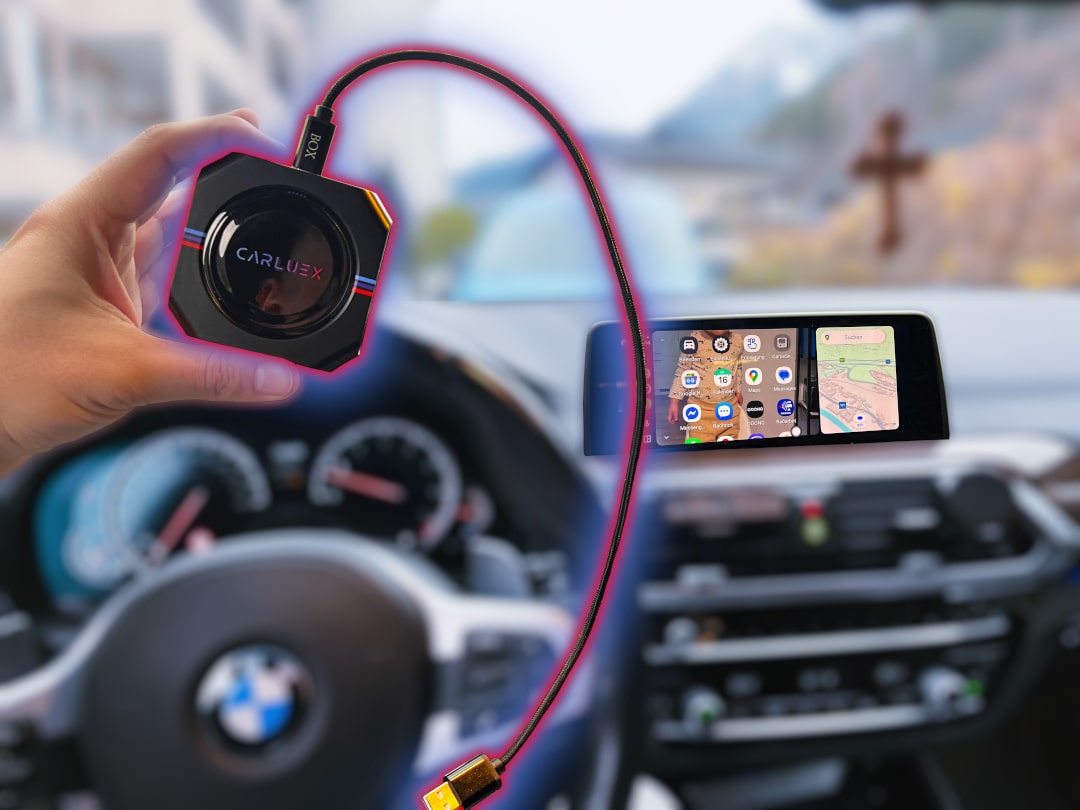
Another crucial advantage of the Carluex Box: The connection to your smartphone is completely wireless. While this might sound like a nice extra at first glance, it makes an enormous difference in everyday use:
The wireless function significantly increases everyday convenience. This advantage is particularly noticeable on short trips, where you would otherwise have to plug in the cable every time just to navigate to the next petrol station.
The Android Interface of the CARLUEX Box
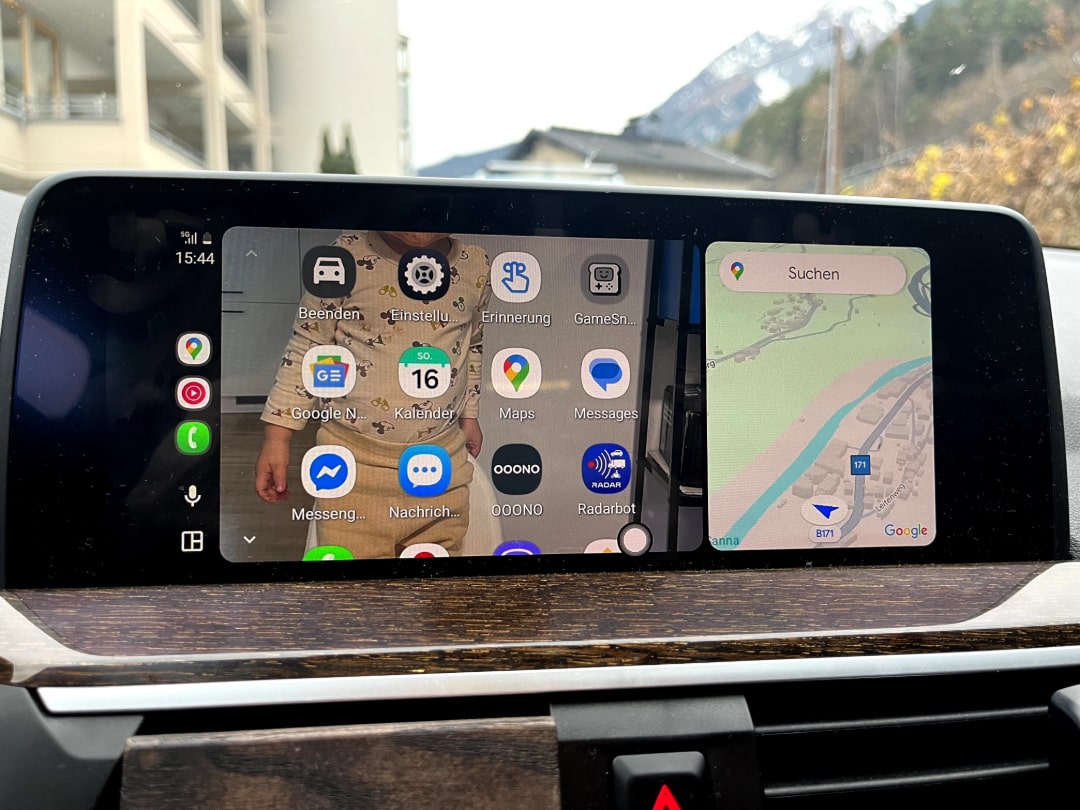
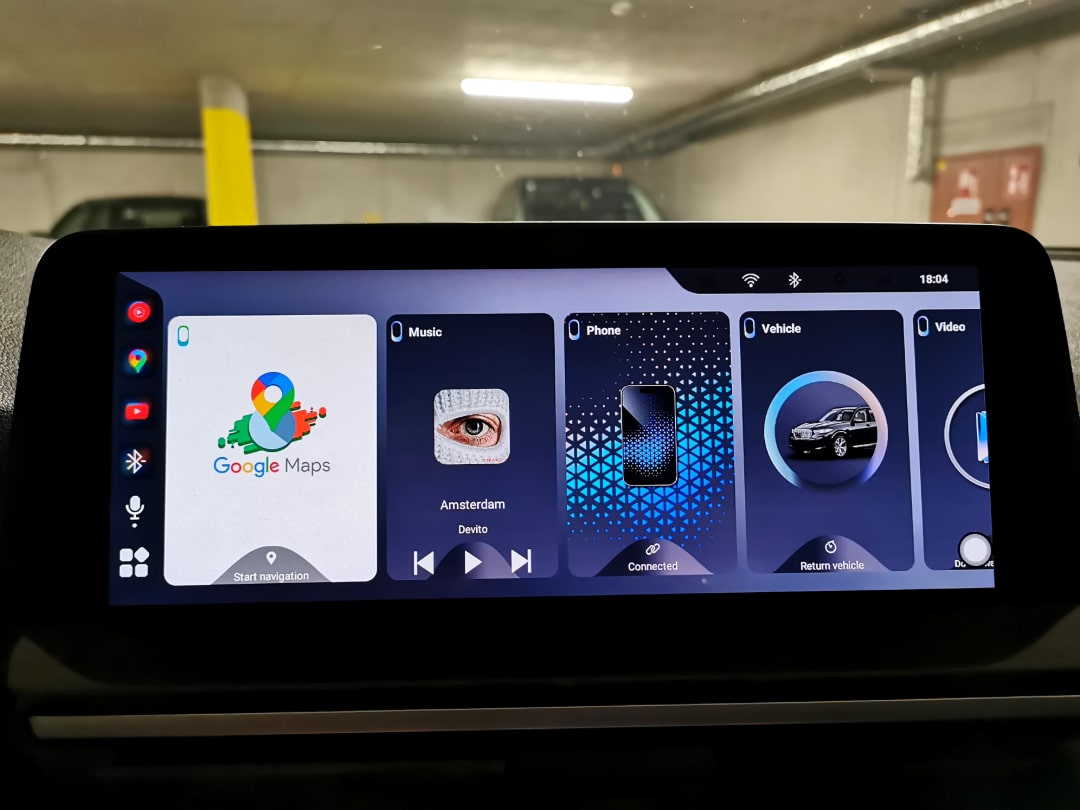
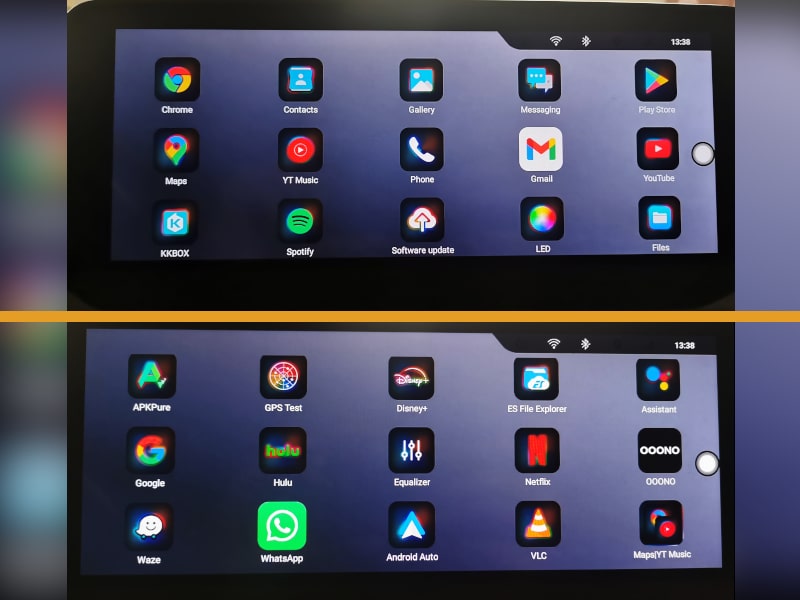
The CARLUEX Box not only brings Android Auto and Apple Carplay to your BMW screen, but also its own Android interface. This interface is based on Android 13 and is so convincingly designed that the question arises: Do I even need Android Auto and Carplay anymore, or is the CARLUEX interface enough for me?
The CARLUEX Android Interface offers you:
The great advantage: The interface is specifically optimized for in-car use. The controls are large enough, the font is easy to read, and navigation through the menus is intuitive via the iDrive controller or touchscreen, if your iDrive system is equipped with it.
Additional Functions & Features
Most people already know how Apple CarPlay and Android Auto work. Here and now, we will take a closer look at the specific functions of the CARLUEX Box itself. It's clear that this system can do far more than just provide Android Auto & CarPlay.
Split-Screen Feature
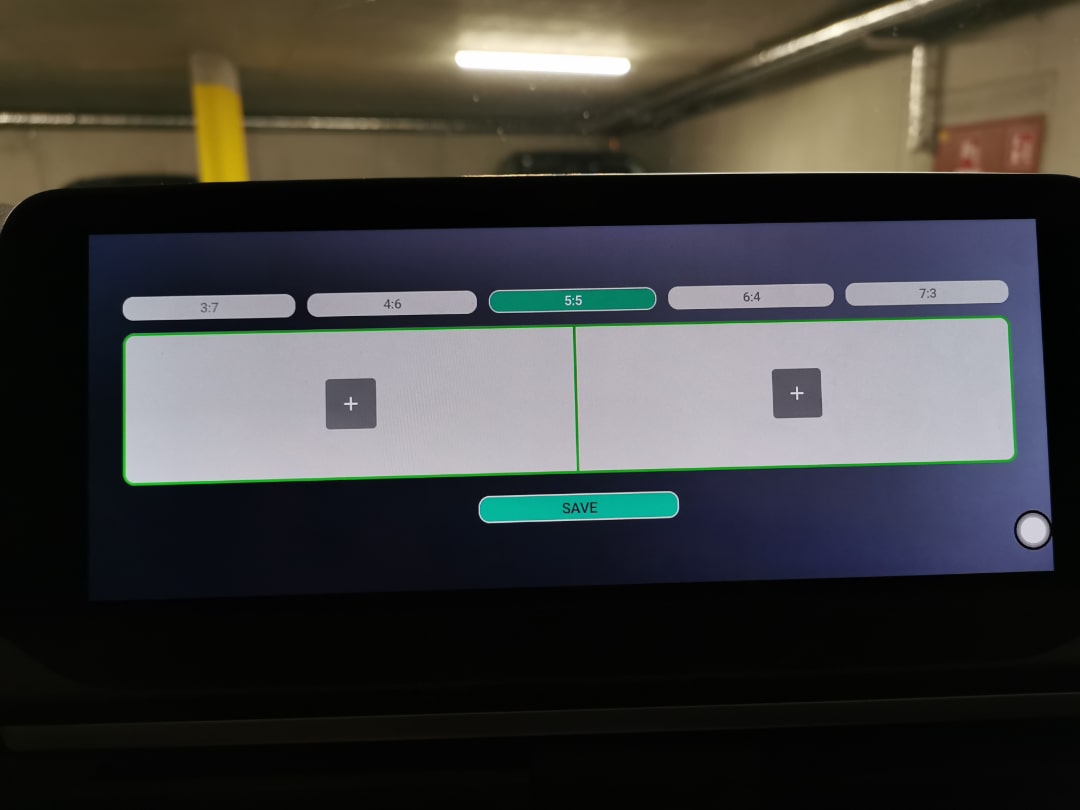
One of the most practical features is the customizable split screen. Unlike standard Android Auto, where you only ever see one app in full-screen mode, the CARLUEX Box allows you to divide the screen as you wish:
Example Configurations:
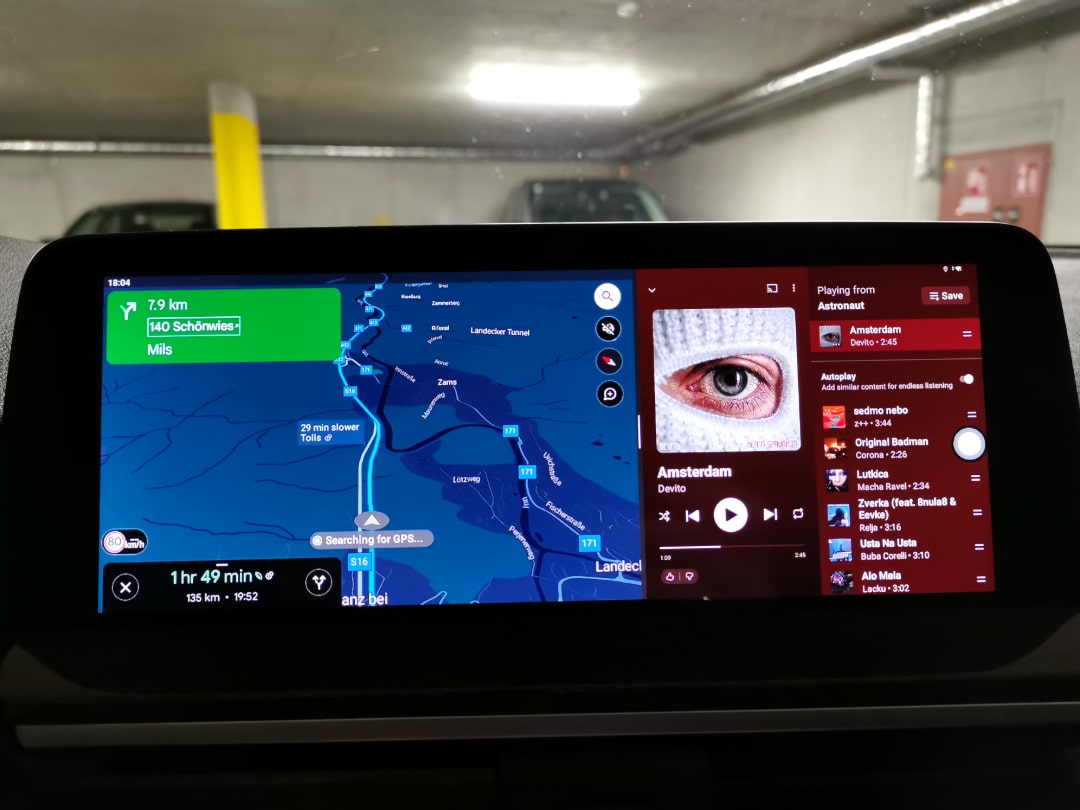
You won't find this level of flexibility with either CarPlay or standard Android Auto. You decide for yourself which information you want to see simultaneously. This is a real gain in comfort, especially on long journeys. It doesn't have to be a 50:50 split; it can be adjusted as desired.
OOONO CO-Driver Integration
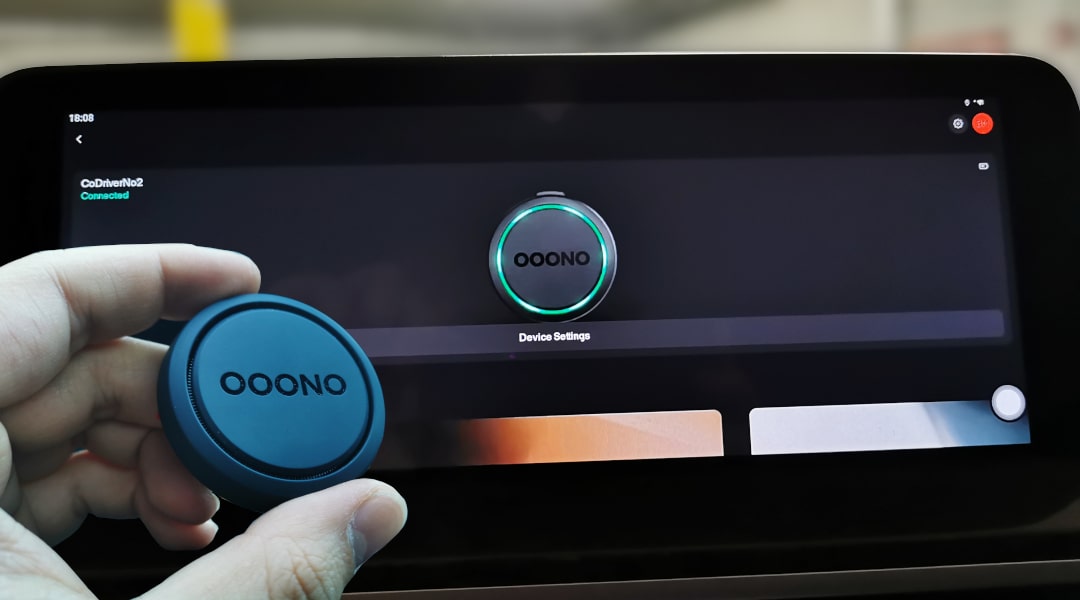
A real insider tip for many BMW drivers: The CARLUEX Box is compatible with the OOONO CO-Driver. Since the box is practically a full-fledged Android device, you can install the OOONO app directly on the box and connect it with your CO-Driver in the car.
This means:
In our tests, the integration worked flawlessly. Warnings appear promptly and are clearly visible. The OOONO device in the car also connects directly to the CARLUEX Box upon startup.
All Apps from the Google Play Store
Since the CARLUEX Box is based on a full-fledged Android system, you can install any app directly from the Play Store – just like on your smartphone. This opens up unlimited possibilities:
This means you're not restricted to the standard CarPlay or Android Auto apps, but can expand your system precisely to your preferences.
Installation and Setup
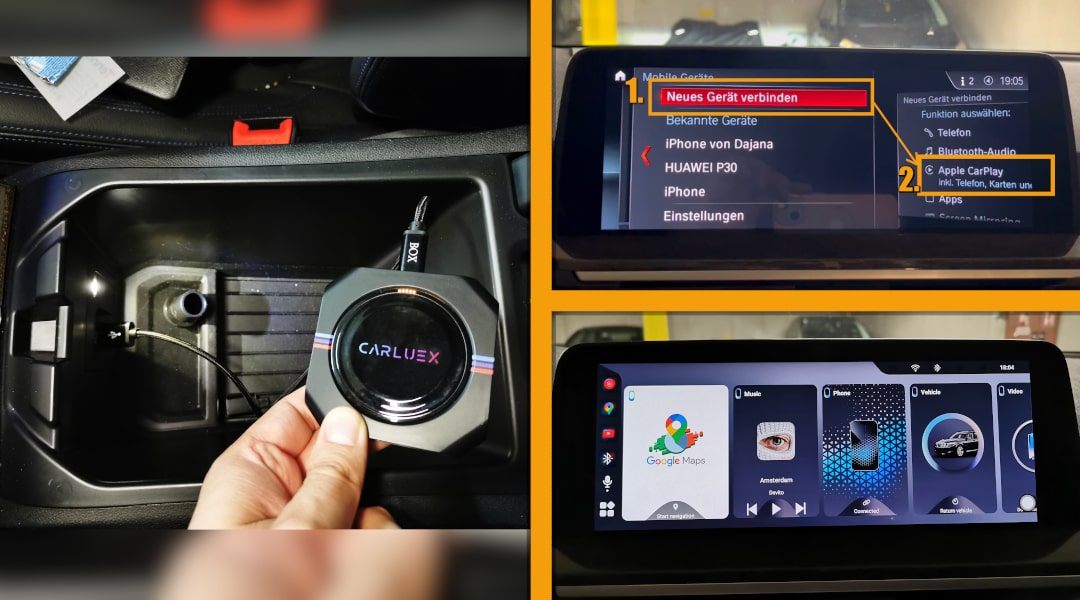
A great advantage of the CARLUEX Box is its simple installation. You don't need a workshop, special tools, or technical expertise. The complete setup takes a maximum of 10 minutes.
Step-by-Step Guide:
For subsequent drives: The connection is automatic. Get in, start the engine – all connections are established within 5-8 seconds.
Advantages & Disadvantages of the CARLUEX Box
No product review would be complete without an honest comparison of strengths and weaknesses. Based on our Carluex Box BMW experiences, we have identified the following points:
Pros:
Cons:
The disadvantages are manageable and hardly noticeable with daily use. The connection time of 5-8 seconds is also perfectly acceptable – in that time, you've already started the engine, buckled up, and put the car in gear.
Comparison: CARLUEX vs. Alternative Solutions
To help you make an informed decision, we have compared the CARLUEX Box with other options for integrating Android Auto or Carplay into your BMW:
CARLUEX Box vs. Aftermarket Radio:
The CARLUEX Box offers a significantly cheaper and simpler way to integrate Android Auto or CarPlay into your BMW compared to an aftermarket radio. While the box is already available for approx. 200€ and can be installed in just ten minutes via Plug-and-Play, a retrofit radio usually costs 800–1500 € plus professional installation.
Furthermore, with CARLUEX, the original BMW screen is preserved, ensuring a cohesive design, and all iDrive and vehicle functions remain fully usable. In contrast, an aftermarket radio introduces an unfamiliar display into the cockpit, resulting in functional losses and potentially decreasing your vehicle's resale value.
CARLUEX Box vs. MMI Box:
Previously, installing an MMI box between the head unit and the vehicle was a good, but expensive and complex option for retrofitting features like Apple CarPlay or Android Auto. Providers like Bimmertech offered such solutions, but installation required the complete removal of the head unit and wiring various adapters.
Overall, installation costs could easily reach up to €1,000. The CARLUEX Box for BMW eliminates this complexity: it works seamlessly via Plug-and-Play and offers an even broader range of functionalities.
CARLUEX Box vs. CarPlay Coding:
While CarPlay coding (and switching to an iPhone) might initially seem like a sleek solution, it comes with significant limitations: It exclusively allows for the use of Apple CarPlay – Android Auto remains entirely excluded.
The CARLUEX Box, on the other hand, supports both Android Auto and CarPlay, wirelessly and without technical modifications to the vehicle. In contrast, the CARLUEX Box operates completely independently of the BMW system, can be removed at any time without a trace, and works instantly via Plug-and-Play.
CARLUEX Box vs. Other Android Auto / CarPlay Boxes:
The market offers numerous universal boxes designed to retrofit Android Auto or CarPlay. The crucial difference: Most of these products are not specifically developed for BMW. This often leads to problems such as delayed responses, incompatible screen resolution, unstable connection, or poor operability via the iDrive controller.
The CARLUEX Box, however, is specifically tailored for BMW systems – with optimized and manually scalable size and resolution, seamless controller operation, and perfect integration into the factory menu. While other boxes often use generic software, CARLUEX relies on a system customized for BMW, which operates faster, more stably, and more aesthetically pleasingly. This makes the user experience feel significantly more premium and like a factory-installed solution.
Carluex Box for BMW: Experiences and Review
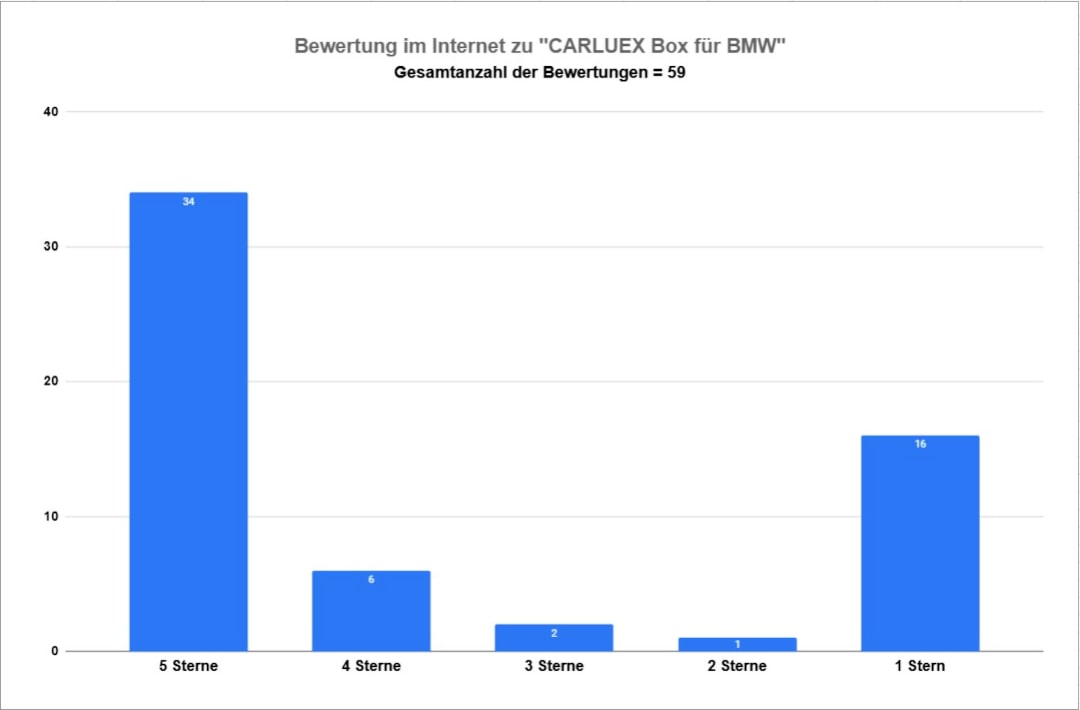
Since CARLUEX offers various boxes for different vehicle models, it was initially difficult to clearly separate the reviews of the CARLUEX Box for BMW from those of the CARLUEX Box PRO for other car brands. To nevertheless create a meaningful statistic, we individually checked all reviews and additionally considered comments from forums, which we converted into star ratings.
Since the CARLUEX Box for BMW has only recently become known, there are still relatively few reviews in the German-speaking area. However, based on international reviews, forum reports, and our own tests, the following statistics emerge:
Conclusion: Is the CARLUEX Box for BMW Worth It?
After extensive testing and months of use, our answer is: Yes! The CARLUEX Box fills a genuine market gap and provides a practical solution to integrate Android Auto into BMW models.
The box is particularly worthwhile if you:

The CARLUEX Box for BMW offers outstanding value for money. For approximately 200€, you not only get Android Auto & Carplay but a full-fledged Android system in your BMW – with an integration that feels like it came straight from the factory.
If you're considering retrofitting BMW Android Auto, the CARLUEX Box is currently the best solution on the market. Its simple installation, thoughtful integration, and extensive range of functions are impressive across the board. See for yourself!
With 30-day return policy and 1-year warranty, you take no risk. Order now and experience how modern infotainment should feel in every BMW!
Affiliate links are marked with a *. When you purchase one of these products, we receive a small commission. Nothing changes for you and the offer/price remains the same. You can find more information about affiliate links here.
FAQ – Frequently Asked Questions about the CARLUEX Box
More Articles
BMW Sport Plus coding: Unlocking driving mode - instructions
BMW Sport & Comfort Plus codingUnlocking driving mode - BMW coding made easy - In this guide you will learn step by step how to...
BMW coding software comparison 2025 | ESys, BimmerCode & Co
BMW Coding Software ComparisonESys, BimmerCode & Co. There are now countless tools for coding a BMW. Different software providers offer...
BMW Emergency Call System Error Battery Replacement | G-Series GUIDE
BMW emergency call system error? solution: change the battery! The well-known BMW emergency call system error (B7F341) occurs in many BMW vehicles, whether E-series,...